
In every community, there are often elderly neighbors who may feel isolated or require extra support as they navigate daily life. Establishing an Elderly Neighbor Check System not only ensures their well-being but also fosters a sense of connection and care within our neighborhoods. Imagine the comfort both you and these seniors will find from having a system in place that prioritizes their health, safety, and independence. By getting involved and organizing wellness checks, we can create a network of assistance that alleviates worry for family members and empowers older adults to maintain their dignity while receiving the help they may need. The following guide outlines simple steps to set up this essential system, helping you make a meaningful difference in your community.
To set up an Elderly Neighbor Check System, begin by gathering a consensus among community members to take turns conducting regular wellness checks, ensuring that each participant understands their role. Additionally, consider utilizing local organizations that specialize in elder care for support and training to implement effective communication mechanisms and safety protocols.
Getting Started with Your Elderly Neighbor Check System
The first step in creating an effective elderly neighbor check system is to identify volunteers who are enthusiastic about providing support. You might want to gather friends, family members, or even local community members who can dedicate some time for regular visits. Having a committed group of individuals can significantly alleviate the burden on any one person while ensuring the elderly neighbor feels connected and supported. Engaging community organizations can also be beneficial, as they often have resources and people ready to help.
As you assemble your team, it’s crucial to consider the personalities and availability of your volunteers. Some individuals may have more patience and experience in dealing with the unique needs of older adults, while others might prefer quick check-ins. By mixing different types of volunteers, you can cater to various preferences and ensure that each visit feels personal and compassionate.
Once you have your team ready, it’s time to establish a clear schedule for check-ins. For elderly neighbors with significant health concerns, daily visits may be necessary to keep a close eye on their well-being. However, for those who are relatively independent, weekly visits may suffice. Consider discussing the frequency with both the volunteers and the elderly individual involved to tailor a schedule that works best for everyone.
Step I – Identify Volunteers
With a better grasp on the participants involved, crafting a checklist will significantly enhance the efficiency of each visit. This list should focus on checking for critical factors like visible signs of illness—such as fatigue or confusion—ensuring access to nutritious food, and identifying potential hazards around their home (like clutter that could cause tripping). A well-thought-out checklist allows visitors to stay organized during check-ins and ensures that all critical areas are adequately covered.
It’s also advisable to hold a brief training session for your volunteers so that they understand how to approach these visits effectively. Discussing what observations to make or what questions to ask can empower volunteers; this training enables them to act if they notice anything concerning during their check-ins.
Integrating technology can further streamline your efforts. For example, setting up a shared online calendar accessible by all volunteers can help everyone stay on top of scheduled visits. Apps that send reminders can facilitate communication and ensure no one forgets their assignment. It’s amazing how technology can add an extra layer of flexibility in today’s world while maintaining traditional values of community care.
Regular feedback from both volunteers and elderly neighbors is paramount. Initiate follow-ups where everyone involved can share their experiences; it fosters an environment of continuous improvement. Are the visits satisfying their needs? Do they feel safe? Taking the time after a few weeks to assess how the system is functioning not only ensures continued efficacy but also strengthens connections between neighbors.
Transitioning into our next topic, let us explore ways to establish safety protocols that reinforce this supportive framework while elevating the overall effectiveness of wellness monitoring systems.
Choosing Suitable Monitoring Devices
The journey to ensuring the well-being of your elderly neighbor begins with selecting the right monitoring devices. The right choices can create a supportive environment where technology serves as an ally in maintaining their independence while providing peace of mind for everyone involved. Effective monitoring devices give family members and caregivers reassurance and empower seniors with tools that promote their safety.
Personal Emergency Response Systems (PERS)
One of the first devices you should consider is a Personal Emergency Response System (PERS). These compact devices allow seniors to call for help at the touch of a button, serving as their lifeline in emergencies. Brands like Life Alert and MobileHelp are often mentioned, but it’s crucial to read user reviews to evaluate real-life performance and customer satisfaction. Are users finding them reliable? Do they have responsive customer service?
Imagine an elderly neighbor who lives alone, feeling empowered because they know help is just a button press away. They can enjoy their daily routines without constantly worrying about what would happen if they fell or required immediate assistance. Investing in these systems can significantly enhance their quality of life.
Motion Sensors
Another important device to consider is motion sensors. These can be installed in key areas of the home, such as hallways or living rooms, to monitor activity patterns. If a designated area experiences prolonged inactivity, alerts can be sent out, prompting caregivers or family members to check in. This proactive approach fosters safety and allows caregivers to intervene before an issue escalates.
Think of it this way: motion sensors act as unobtrusive guardians, quietly observing daily life without intruding on personal space. They’re vital tools for early intervention, alerting caregivers when unusual behavior patterns emerge.
Medical Alert Systems
Additionally, you might want to consider comprehensive medical alert systems that include fall detection capabilities. These advanced devices automatically recognize when a person has fallen and provide immediate alerts to a monitoring center. This feature alleviates some anxiety for seniors hesitant to wear traditional alert buttons; knowing that help will come without needing to press anything offers immense comfort.
Picture a scenario where an elderly neighbor trips on something in their home and falls—the medical alert system immediately recognizes this troubling event and contacts emergency services even if the neighbor is unable to call for help themselves. This seamless support acts as a major safety net and reinforces the importance of 24/7 monitoring for individuals living independently.
Having identified suitable monitoring devices, the next essential component involves understanding how to properly install these systems for optimal effectiveness.
Installation and Setup Guide
Accurate installation of monitoring devices is essential for ensuring they function correctly and serve their intended purpose—keeping elderly neighbors safe while promoting their independence. First things first, let’s talk about placement.
Step I – Placement
The strategic location of motion sensors can greatly influence their effectiveness. When placing these sensors, think of high-traffic areas where your elderly neighbor spends most of their time. Areas such as the kitchen, hallway, and bathroom are prime spots to ensure that any unusual activity can be detected quickly. For instance, positioning a sensor in the kitchen will not only monitor movement but can also alert caregivers if the elder has been inactive for too long.
Additionally, emergency buttons should be placed in easily accessible locations—perhaps right next to the bed or in the living room—to ensure they can be reached at a moment’s notice.
Now that we have our devices in place, the next step involves connectivity.
Step II – Connectivity
Connecting these devices to a reliable Wi-Fi network is pivotal for real-time monitoring. If possible, utilize Ethernet connections for those sensitive devices because a wired connection tends to be more stable than Wi-Fi, especially if your elderly neighbor’s home has spotty wireless coverage.
You wouldn’t want a motion detector sending alerts late due to intermittent signal problems. Also, consider having a backup plan; setting up redundancy like mobile data hotspots can serve as fail-safes.
Once we’ve established connectivity, it’s time to ensure everything works as intended.
Step III – Testing
Testing each device thoroughly is non-negotiable. After installation is complete, conduct trial runs by simulating various scenarios, such as walking past a motion sensor or pressing an emergency button. This not only verifies that everything is functioning properly but also familiarizes your elderly neighbor with how each device operates—an important step toward their comfort and confidence.
It might seem tedious, but spending extra time now avoids confusion later and reassures everyone involved.
After testing, we need to think about keeping the system running smoothly.
Step IV – Setup Maintenance Plan
Finally, establish a setup maintenance plan for ongoing support of your monitoring devices. Regularly scheduled software updates—and even hardware checks—are vital to prevent malfunction or outdated performance levels. Encourage family members or volunteers to take turns in maintaining this system to keep it fresh and effective.
Regular check-ins on functionality can mean the difference between reliable support and potential emergencies going unnoticed.
With careful installation followed by consistent maintenance, you set up a robust Elderly Neighbor Check System that promotes safety and well-being effectively.
As the system takes shape with diligent care and attention to detail, it’s essential now to focus on incorporating timely alerts and notifications that can enhance responsiveness in emergencies.
Setting Up Alerts and Notifications
The timely notification of emergencies can indeed save lives, but it’s critical that these alerts are configured properly for them to be truly effective. When setting up your Elderly Neighbor Check System, customizing alerts tailored to each individual’s specific needs will make all the difference.
Think about who should receive these alerts—family members, caregivers, and even local emergency services. Including multiple contacts in the alert system creates a robust communication network that can respond quickly in case of an emergency.
Customizable Alerts
Utilize applications that allow you to tailor the types of notifications sent based on their urgency. For instance, a minor health issue might trigger a notification to a family member, while a more critical concern should alert both family and emergency services simultaneously. The capability to categorize notifications helps ensure that individuals can swiftly respond according to the severity of the situation.
But beyond just configuring alerts, it’s vital to ensure these notifications reach recipients without fail.
Notifications via Multiple Channels
In our increasingly digital world, relying on a single channel for alerts may not be sufficient. Setting up alerts through various channels such as SMS messages, push notifications from dedicated apps, or emails guarantees rapid communication. Each medium has its strengths; SMS messages are often seen as more immediate since most people keep their phones close by, while emails may become buried under clutter yet allow for more detailed information. By diversifying the channels used, you enhance the likelihood that critical alerts are noticed promptly.
Beyond receiving notifications, having a clear action plan is fundamental in managing emergencies effectively.
Emergency Response Plan
An emergency response plan outlines steps that must be followed when an alert is received. Everyone involved needs to understand their role when the alarm goes off—whether it’s checking in with the person in need or contacting professional help. Regular drills should also be conducted to simulate emergencies; this practice ensures everyone knows what actions to take if an actual situation arises. These preparations promote confidence among family members and caregivers and significantly enhance response efficiency during a crisis.
With reliable alerts set up and an effective response plan established, maintaining vigilance remains essential for ensuring the safety and security of our elderly neighbors.
Home Security Measures
Making an elderly person’s home secure involves not just basic precautions but also advanced technology to enhance their safety.
One of the simplest yet most effective ways to begin is by installing security cameras at primary entry points. These cameras can provide peace of mind, not only for the residents but also for their families. A good choice might be a video doorbell like Ring, which allows you to see who is at the door in real time and even interact with them through an app on your smartphone. This level of monitoring empowers seniors, allowing them to feel more secure and less isolated.
However, security goes beyond just surveillance; controlling access to the home is equally vital.
This brings us to the importance of smart locks. These modern locking systems offer a keyless entry solution that adds convenience while enhancing security. When caregivers or family members need access, they can enter using a code or mobile app rather than fumbling with physical keys. This method minimizes the confusion that can occur when someone loses a key or forgets where they placed it. Moreover, with smart locks, you can track who enters and exits the home, providing another layer of accountability and safety.
Alongside monitoring and controlled access, proper lighting is crucial for maintaining safety within and around the home.
Installing automated lighting systems helps illuminate pathways at night, effectively preventing falls—a common concern for seniors. Imagine receiving a call from an elderly neighbor who can’t find the light switch amidst darkness—you can control the lights remotely through smart bulbs to ensure they’re on when needed. These smart lighting solutions often come equipped with motion sensors, which means they automatically turn on when someone approaches, enhancing visibility and security without requiring extra effort from the senior.
| Device | Purpose | Features |
|---|---|---|
| Security Cameras | Monitor entries | Real-time video, alerts |
| Smart Locks | Controlled access | Keyless entry, remote access |
| Automated Lighting | Safe navigation | Motion-activated, smart control |
Implementing these strategies not only secures the environment but also promotes independence among elderly individuals and enhances their overall quality of life. As we explore further, let’s see how innovative advancements in technology are shaping solutions that cater specifically to elder care needs.
Using Technology for Elderly Care
Advanced tech solutions have transformed elderly care into a more effective and less intrusive process. This era of innovation has led to remarkable tools that empower seniors to maintain their health while preserving their independence. Imagine a world where your loved ones can track their health from the comfort of their own homes, engage with intuitive devices that assist them daily, and share critical health information seamlessly with caregivers. This is not just a dream; it’s today’s reality.
Health Monitoring
Wearable health monitors have emerged as essential companions for elderly individuals. Devices such as Fitbit and Apple Watch are not only trendy but pack significant benefits. They readily track vitals like heart rate, blood pressure, and even sleep patterns, offering invaluable data at a glance.
Imagine a family member wearing one of these devices. Instead of just worrying about their health from afar, you can immediately access insights linked directly to their vitals through mobile apps. This means you can be proactive about any anomalies without waiting for a regular appointment or hospital visit.
Furthermore, many of these devices allow users to share data with healthcare professionals, facilitating immediate responses when necessary. It’s akin to having a virtual doctor right by their side, ready to act whenever questions arise.
Virtual Assistants
Moreover, virtual assistants like Amazon Alexa or Google Home provide an extra layer of support in managing day-to-day tasks. Picture this: A senior struggling with medication adherence can simply ask their assistant to remind them when it’s time to take pills or schedule their doctor’s appointments.
These devices can also generate shopping lists based on spoken commands, control smart home features like lights or thermostats, and even play music or audiobooks—all tailored to make life easier.
The charm of these tools lies in their ease of use; seniors often find interacting with voice-activated systems natural and less daunting than navigating smartphones. By alleviating everyday responsibilities, these assistants offer elders greater independence while keeping them connected.
Health Data Sharing
In another leap forward, there are various apps specifically designed for sharing health data in real-time with caregivers and healthcare providers. This feature is critical in ensuring proactive healthcare management. Imagine being able to check in on an elder’s vital signs through a healthcare application while miles apart; this connectivity empowers caregivers to make timely adjustments regarding treatments or interventions based on the most current data.
These applications create a network of care that transcends physical boundaries, enabling families to unite in the pursuit of optimal health for aged loved ones.
While technology supports individual care efficiency, fostering stronger community ties offers additional layers of support essential for enhancing the overall wellness experience.
Creating a Community Support Network
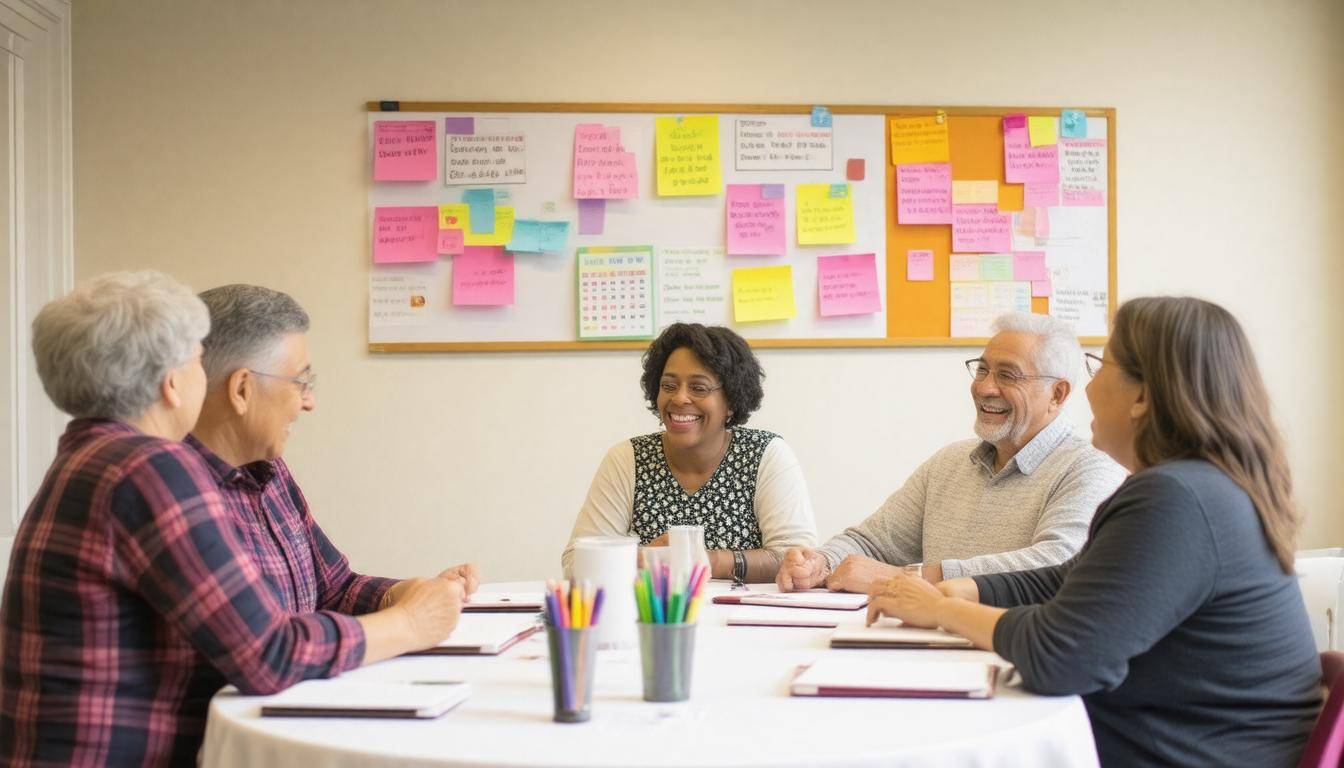
Building a community support network is like tending to a garden: it requires regular care, attention, and a willingness to cultivate relationships. Start by reaching out to local organizations, such as senior centers and churches, which can act as valuable resources in recruiting volunteers. These institutions often have established ties with residents and can facilitate outreach efforts. This connection helps strengthen the bonds within your community, ensuring that those who need assistance are not alone in their struggles.
Next, consider implementing a rotating schedule for wellness checks. This arrangement allows neighbors to take turns visiting each other, creating a reliable safety net for seniors living alone. It can be beneficial to use platforms like Nextdoor or even social media groups to organize these initiatives. By sharing responsibilities such as grocery shopping, prescription pickups, and social visits, no single person feels overwhelmed by the demands of caregiving.
Beyond simply helping the elderly with physical tasks, embracing technology can significantly enhance their sense of connection.
As we’re stepping into an increasingly digital age, encouraging digital literacy among seniors is vital. Not only does this provide them with tools for social interaction, but it also empowers them to access information and services that can enhance their quality of life. You might introduce them to platforms that facilitate virtual gatherings or social media groups tailored for seniors. Such online spaces can bridge the gap when face-to-face interactions are limited, allowing them to remain engaged with family and friends despite geographical distances.
Additional Considerations
When creating your network, consider developing a communication plan; regular check-ins via phone calls or texts can help ensure that everyone stays connected without feeling intrusive. These small gestures remind seniors that they are valued, combating feelings of isolation that often accompany aging.
Establishing clear lines of communication fosters trust among community members, ensuring that assistance is timely and effective.
Finally, don’t forget about emergency preparedness within your support network. Create an emergency contact list that includes local resources as well as key persons tasked with responding swiftly in case of crises. Consider hosting brief meetings where you can discuss potential scenarios and reassess your strategies collectively.
Through cooperation and intentional planning, we can weave together an intricate web of support that empowers our elderly neighbors while cultivating a strong community. As we look at the various aspects of setting up such networks, exploring available assistance mechanisms is equally crucial to ensure smooth operations.
Troubleshooting and Help Resources

Knowing how to address common issues is vital for maintaining the effectiveness of your elderly neighbor check system. By being equipped with problem-solving strategies, you can act quickly and keep everything running smoothly. Imagine it’s a chilly afternoon, and you receive an alert indicating that there’s an issue with the monitoring device; you want to be prepared rather than panicked.
Common Issues and Solutions
-
Device Not Connecting to Wi-Fi: This frequent issue can often be resolved by checking your router settings or moving the devices closer to the access point. Sometimes, physical barriers like walls or furniture impede connectivity. If you’re having trouble, restarting your router can also help.
-
False Alerts: These notifications may cause unnecessary worry among caregivers. To minimize them, recalibrate the motion sensors and adjust sensitivity settings as needed, ensuring they only trigger in relevant situations. After adjustments, monitor for a little while to see if changes effectively reduce false alerts.
-
Battery Life: Keeping track of battery life is crucial for devices like emergency buttons. Regularly check battery levels and make it a habit to replace batteries proactively—especially before major holidays or family gatherings when extra guests or activities might occur.
No maintenance plan is complete without considering helpful resources that can guide you through potential hiccups.
Resources
It’s wise to create a handy list of customer support contacts specific to each manufacturer’s products in your setup. This list should be easily accessible—perhaps saved on your phone or posted prominently on a wall near your home office. Online forums and communities, such as those on Reddit or specialized elder care platforms, can also provide invaluable peer advice for common issues. Engaging with others experiencing similar challenges can lead to practical solutions that you might not have considered.
Sometimes, solutions require more than just a quick fix from user expertise; professional help might be warranted.
Professional Help
For complex technical issues that seem beyond your comfort zone—like persistent software glitches or hardware malfunctions—don’t hesitate to reach out to professionals who specialize in elderly care technology. They possess both the knowledge and tools for assessment and can offer on-site support or remote assistance tailored specifically for your needs.
Remember: availing yourself of professional support can ultimately save you time and stress, all while ensuring the continued safety of those you’re caring for.
By familiarizing yourself with these troubleshooting techniques and resources, you’ll build confidence in managing your elderly neighbor check system efficiently and effectively.
As you navigate this essential setup, remember that being proactive not only enhances the safety of your loved ones but also fosters peace of mind for everyone involved.