
As remote work continues to grow, so does the importance of having a solid emergency plan in place. It might be easy to think that working from home means you’re safe from emergencies, but that’s not always the case. Just because you’re not in a traditional office doesn’t mean risks disappear. Think about it: natural disasters can strike, technology can fail, or health issues can arise at any moment. That’s why being prepared is key. In this comprehensive guide, we’ll explore practical strategies to help you and your team stay safe and connected, turning potential chaos into manageable situations when the unexpected happens. Whether you’re enjoying a quiet day at home or facing an urgent issue, having a clear plan can make all the difference.
The Remote Worker Emergency Planning: Complete Guide provides essential insights on identifying potential risks, developing comprehensive emergency plans, communication strategies, and regular training protocols tailored specifically for remote workers. This guide aims to enhance safety and preparedness in the workplace by addressing the unique challenges faced by individuals working remotely.

The Importance of Emergency Planning for Remote Workers
Designing an effective emergency plan is akin to crafting a safety net; it offers security in unpredictability. When remote workers are left to navigate crises without guidance, confusion often ensues. Many might assume that working from home shields them from emergencies, but the reality can be starkly different. Natural disasters, cyber threats, and health crises don’t discriminate based on location, and unprepared remote workers can find themselves vulnerable.
In fact, recent statistics reveal critical insights into this gap in preparedness—70% of remote workers report feeling unprepared for emergencies that could disrupt their work. Alongside this concern, 80% believe that having a robust emergency plan would significantly enhance their sense of security and productivity. This disparity sheds light on the need for companies to prioritize frameworks that address these uncertainties effectively.
Establishing an emergency response strategy fosters not only safety but also community. When organizations invest time in engaging their employees, they create a shared responsibility that reinforces resilience. Factoring in various perspectives during the planning phase ensures that the protocol addresses unique concerns or risks each employee might face in their specific location. This engagement can stimulate more clear responses during actual emergencies.
“According to a staggering 60% of companies with remote workers, there is no formal emergency response plan currently in place.”
Moreover, it’s essential to develop clear roles and responsibilities even in a virtual workspace. Each team member should know what part they play should an emergency arise—knowing who handles communication, who ensures safety protocols are followed, and who is responsible for checking on team members can streamline efforts dramatically. Clear roles work hand-in-hand with predefined evacuation procedures and communication strategies.
Scenario Planning
Picture this: A sudden wildfire spreads through a densely populated area where several of your employees reside. Without an established plan, confusion reigns—some workers might not know if they should evacuate or if there’s a designated safe place to go. However, when systematic protocols are in place—like clearly defined evacuation routes or instructions on how to access nearby shelters—the chaos transforms into a structured response that heightens everyone’s safety.
Additionally, conducting regular training drills cannot be overlooked. These rehearsals offer valuable opportunities for employees to familiarize themselves with the emergency procedures before calamity strikes. Training enhances confidence and preparedness; it’s one thing to read about emergency plans and another to practice them actively.
As we begin to explore how to create effective teams tailored for remote environments, the focus must be on building cohesive groups ready to respond effectively in times of crisis.
Assembling Your Crisis Response Team
Building a dedicated crisis response team is the backbone of any emergency plan. The individuals who make up this team must work seamlessly together, with each role playing a vital part in ensuring your remote workforce remains safe during emergencies.
Key Roles to Fill
First, let’s explore the essential roles required for an effective crisis response team.
-
The Coordinator serves as the captain of your ship; they oversee the entire emergency response plan, ensuring every team member is familiar with their responsibilities. They connect all the dots, ensuring each piece fits together like a well-organized puzzle.
-
Next up is the Communications Officer. In times of crises, clear communication can mean the difference between chaos and order. This person manages all internal and external communications during an emergency, guiding information distribution and keeping everyone informed with timely updates. Think of them as both messenger and shield, wielding information to protect employees from misinformation.
-
Then comes the Safety Officer, who focuses on both physical and cybersecurity. They ensure that all remote workspaces are secure and compliant with safety protocols. Picture them as your digital bodyguard—monitoring potential threats while making sure everyone knows safety procedures by heart.
-
Finally, there’s the Resource Manager. Every great operation requires materials—be it medical supplies, technical resources, or personnel support. This individual keeps track of essential resources, ensuring their availability during a crisis so that there’s no room for delays or panic when moments count most.
With these key roles defined, you can tailor your response team to fit your unique organizational needs.
Real-World Example
Consider Google’s approach—they have implemented a crisis response team that includes cybersecurity experts, communication specialists, and logistics managers. By clearly defining roles on their team, Google has successfully managed to respond rapidly to various emergencies, such as during the pandemic. Their well-coordinated effort showcases how effective role allocation can lead to minimal disruption within operations.
Remember, assembling your crisis response team isn’t about filling seats; it’s about choosing the right people who bring specific skills to ensure preparedness and safety during uncertain times. As you build your own team, think through these roles carefully so you create a unit that can react swiftly but thoughtfully in any situation that may arise.
As we consider these fundamental roles in crisis management, let’s now turn our attention to the pivotal aspect of effective communication during emergencies.
Communication Strategies During Emergencies
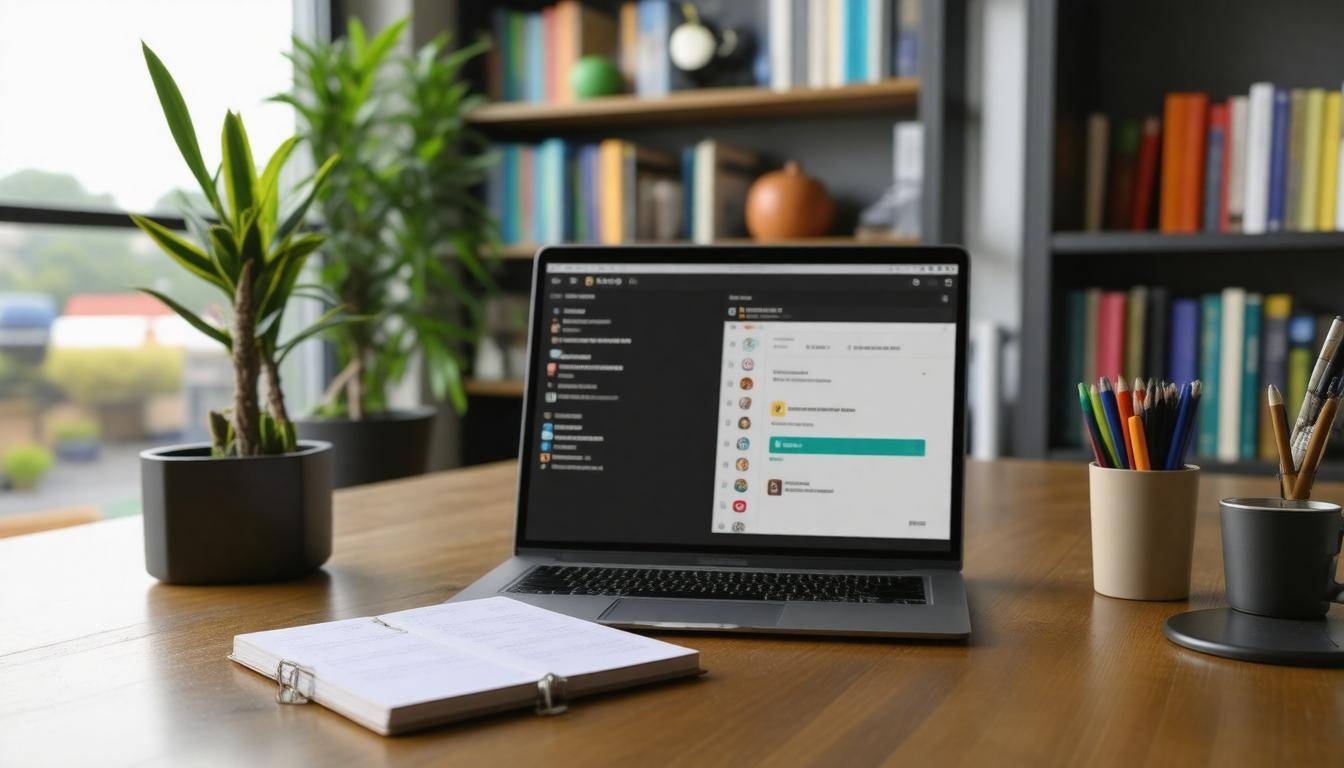
When it comes to handling emergencies, the strategy you adopt for communicating plays a pivotal role. Imagine being in the midst of a crisis where confusion reigns—this is precisely why clear and timely communication can spell the difference between chaos and calm. It’s about ensuring that every remote worker knows exactly what to do, who to contact, and how to stay safe.
Utilizing Multiple Channels
One crucial aspect of effective communication is utilizing multiple channels. Relying solely on one form of communication can be risky, especially when technology fails or an overload of messages can drown out important information. Therefore, make use of various platforms like emails for detailed instructions, text messages for urgent alerts, your company intranet for up-to-date resources, and instant messaging apps for real-time conversations.
Tools such as Slack or Microsoft Teams can facilitate quick updates while Zoom might serve well for face-to-face meetings when appropriate. This multi-channel approach ensures that your message reaches employees wherever they may be—and through whatever device they prefer.
“In a crisis, having multiple ways to communicate is like having extra lifeboats on a ship.”
Creating a Communication Tree
Additionally, creating a communication tree can be vital for efficient dissemination of information. Think of it this way: information should trickle down effectively from the top levels of management to every employee. A clearly defined hierarchy means executives share updates with team leaders who then pass them along to their teams. This method guarantees that no one is left in the dark and allows for feedback loops where questions can be addressed swiftly.
Each remote worker should know whom to contact if they require clarification or have concerns—this reduces uncertainty and fosters an environment of trust. Regularly review and update your communication tree to accommodate any changes in personnel or structure; static plans can lead to confusion just as easily as poor execution.
Importance of Real-time Updates
With remote workers increasingly favoring real-time communication tools during emergencies—about 60% express preference—adapting these solutions becomes essential. Providing immediate updates helps everyone feel involved and informed rather than isolated in the “unknown.” It could pertain to changes in evacuation procedures or updates regarding ongoing threats. The quicker the information finds its way into the hands of those who need it, the safer everyone will be.
Now that we’ve covered how to effectively communicate during emergencies, let’s explore critical safety protocols that all remote workers should follow in such situations.
Safety Procedures for Remote Work Environments

Creating a safe remote work environment is crucial, especially when you’re relying on your home for productivity. One of the first steps is ensuring an ergonomic setup. This not only includes proper chairs and desks but also emphasizes the importance of positioning your computer monitors at eye level. This simple change can prevent long-term strain on your neck and back, which often plague those who work in poorly set up spaces.
Investing in quality ergonomic equipment might seem pricey at first, but in the long run, you’ll save money—both on healthcare costs from potential injuries and by maintaining productivity levels.
In addition to comfort, let’s talk about fire safety. Whether it’s an old wiring issue or overheating devices, the risk of fire is very real in home offices. It’s essential to install smoke detectors near your workspace and keep fire extinguishers readily accessible. Regularly test these devices to ensure they are in working order; after all, it’s better to be prepared and never need them than to regret not being proactive.
Each precaution you take builds a security net around your workspace. Just as you would physically secure your environment, another critical element to consider is cybersecurity. In our increasingly digital world, threats abound online, making it imperative that you take this matter seriously. Utilizing VPNs (Virtual Private Networks) and reliable antivirus software not only helps safeguard sensitive data but will also serve as a strong barrier against potential cyber-attacks.
Checklist for Safety
- Ergonomic Setup: Ensure chairs, desks, and computer monitors are positioned correctly to prevent strain.
- Fire Safety: Install smoke detectors and keep fire extinguishers accessible.
- Cybersecurity: Use VPNs and antivirus software to protect against cyber threats.
Remember Jane’s experience: she avoided a potentially disastrous situation due to the smoke detector her employer ensured was installed in her workspace. It serves as a powerful reminder of how essential safety measures are in preventing emergencies before they escalate.
Encompassing both physical security measures at home and robust digital protocols creates a safer overall environment for remote work. Strengthening our ability to react swiftly during unforeseen incidents means incorporating these safety procedures becomes more than just best practice—it evolves into an essential lifeline for every remote worker.
With a solid understanding of safety procedures established, we can now turn our attention toward identifying key resources and processes that will further enhance your preparedness.
Identifying Critical Resources and Processes
Understanding the essential tools and processes that support your remote work is crucial in emergency planning. Remote workers are often tethered to technology; thus, knowing what is vital to keep things running smoothly can make a significant difference when a crisis strikes. Not all resources are created equal, and having an inventory of your critical elements becomes a foundational step toward streamlined operations.
Creating a Resource Inventory
Start by compiling a comprehensive resource inventory. Make a list of everything you rely on daily: laptops, internet connections, software applications, and even communication platforms like Zoom or Slack. It’s important to categorize these resources based on their necessity; prioritize those that are indispensable for executing your work efficiently. For example, while fancy design software may be useful, your email client and project management app will likely take precedence on the list because they keep projects moving forward and ensure you stay in touch with colleagues.
“A clear overview helps you focus your efforts on what truly matters in emergencies.”
Ensuring Availability
The next phase is to ensure these resources are always available when you need them. This is where good planning comes into play. Don’t just rely on one source for your data storage; embrace cloud storage solutions to keep critical files backed up and accessible from anywhere. Imagine being in the middle of an important presentation when suddenly you lose your internet connection — it happens! That’s why considering backup options, such as mobile hotspots or portable Wi-Fi devices, is key. Maintaining these backups ensures that even if your primary internet source fails, you’re not left scrambling during crucial moments.
With your resources sorted out, it’s time to explore effective strategies for maintaining open lines of communication during challenging situations. A well-structured communication approach can be the backbone of successful crisis management.
Utilizing Tools for Effective Communication
In the age of remote work, leveraging digital communication tools effectively can make all the difference in maintaining a cohesive and responsive team. Imagine trying to coordinate efforts during an emergency without the right tools in place—chaotic, right? That’s why it’s critical to choose the best platforms that will not only keep lines of communication open but also facilitate collaboration and engagement.
Best Tools for the Job
| Tool | Purpose | Notable Features |
|---|---|---|
| Slack | Team Messaging | Channels for specific topics, Direct Messages for quick discussions |
| Zoom | Video Conferencing | Breakout Rooms for group activities, Screen Sharing for collaborative work |
| Microsoft Teams | Collaboration Suite | Seamless Integration with Office 365, File sharing and real-time collaboration on documents |
These tools serve distinct purposes, yet their interconnected functionalities support smooth interactions. For instance, Slack is particularly valuable for quick team messaging and keeping conversations organized through dedicated channels. This allows employees to focus on relevant topics without being overwhelmed by unrelated chatter. On the other hand, Zoom shines when it comes to face-to-face interactions or complex discussions that require visual aids; its features like breakout rooms enable smaller group collaborations during larger meetings. Finally, Microsoft Teams combines messaging and document collaboration seamlessly, making it easy for teams to work together on projects while keeping communication flowing.
Keeping Everyone Connected
Just having these tools isn’t enough. It’s crucial to provide adequate training so all employees can use them effectively. Think about it: what good are powerful tools if people don’t know how to utilize them? Ensuring each team member understands how to set up meetings, send alerts, and access shared resources can significantly enhance responsiveness during emergencies. Regular refreshers or short training sessions can reinforce proper usage, ultimately maximizing productivity across remote teams.
Once you have established and optimized communication through technology, it’s essential to address additional factors involved in your planning for remote workers’ safety concerns. Awareness of physical hazards may present significant risks that need careful consideration.
Handling Home Hazards
Every remote worker must recognize that their home, while cozy and familiar, also carries its share of hazards. Electrical issues, trip hazards, and inadequate lighting can pose significant risks that are often overlooked. For example, imagine working from your kitchen table and juggling multiple devices, only to discover a loose electrical cable snaking dangerously near your feet. Such situations underscore the importance of conducting regular safety audits in your home workspace to identify and address these threats before they lead to accidents or injuries.
One common hazard is improper lighting. Many workers unknowingly strain their eyes due to inadequate illumination, leading to discomfort and reduced productivity. A simple solution might involve investing in adjustable lamps or positioning your computer to take advantage of natural light. It’s all about ensuring that your workspace is well-lit without causing glare on your screens, which can enhance both safety and comfort.
Regular evaluations of your environment can help recognize these potential hazards that are unique to remote setups. With 43% of remote workers reporting hazards at home, being proactive counts!
Common Home Hazards
Besides lighting concerns, trip hazards deserve attention too. Loose cables sprawled across the floor not only create obstructions but can also lead to severe injuries if someone trips and falls. Creating tidy workspaces with dedicated cable organizers ensures that wires are stored out of sight and secured against walls or desks. This enhances the aesthetic appeal of your workspace while significantly reducing the risk of accidents.
Picture this: You’re in the groove at work when suddenly you become a contestant in an unexpected obstacle course—one errant cable at a time! Avoiding spills, tumbles, or unexpected faceplants is paramount.
Beyond cables, ergonomic hazards are common among remote workers. Poor desk setups and inappropriate seating have led to reported injuries for many individuals working from home. Simple adjustments like investing in an ergonomic chair and adjusting monitor heights can work wonders for health and productivity. Knowing that 25% of home-based workers experience these injuries emphasizes the need for proper follow-through on ergonomics at home.
By regularly evaluating these aspects of your workspace, you create a safer and more productive environment for yourself.
Example of a Simple Fix
To illustrate how minor changes can yield significant benefits: one remote worker I consulted had a multitude of loose cables stretching across her living room floor, resembling a chaotic spider web. The remedy was straightforward—implementing cable organizers transformed her space dramatically; no longer did she face tripping over errant cords. Instead, she enjoyed an organized setup where everything was neatly tucked away, resulting in fewer distractions and a much safer atmosphere.
Always be prepared for unforeseen issues within your home office by having contingency plans ready. These may include easily accessible home safety kits or establishing communication protocols with family members regarding emergency procedures to ensure everyone feels safe.
Handling home hazards doesn’t need to be complicated; it’s about being aware and taking simple yet effective steps towards creating a safer workspace. Not only does this increase personal safety but it inherently enhances productivity as remote workers thrive in environments where concerns of injury are minimized.
As we explore further into this guide, keeping your plans fresh and up-to-date becomes crucial for ongoing safety and efficiency.
Regular Testing and Updating of Your Plan
An emergency plan isn’t just a piece of paper sitting in your drawer; it’s a living document that needs regular attention. Think of it as a car needing routine check-ups to keep running smoothly. Scheduling quarterly drills can be immensely beneficial, providing an opportunity to rehearse the emergency procedures as a team. This ensures that every member understands their roles and responsibilities. Familiarity with these protocols can make all the difference in a time-sensitive situation.
Importance of Drills
During these exercises, simulate various types of emergencies, such as medical emergencies or natural disasters, relevant to your specific environment. This practice helps everyone understand what actions to prioritize—whether it’s evacuating the premises or calling for help. To keep things engaging and reflective of real scenarios, consider rotating roles within the team so each member experiences multiple perspectives of emergency response.
Once drills are completed, it’s essential to reflect on the performance of your team and the effectiveness of your procedures.
Updating Based on Feedback
After every drill, collect feedback from all participants. This information is invaluable for fine-tuning your emergency plan. Did everyone know what to do? Were there any bottlenecks in communication? What improvements could be made? Documenting this feedback will allow you to see patterns over time, helping identify persistent weaknesses in your approach.
Remember, a solid plan continually evolves based on the experiences and insights gained during these simulations—what worked last time may not be effective another time.
Example of Iterative Improvement
For instance, after one fire drill at a local company, it was discovered that relying on a single messaging app caused major delays in communication among staff. While this tool was effective, it limited their ability to reach people quickly when systems were overloaded or down. As a result, they incorporated multiple communication channels, including text messages and group phone calls in subsequent drills. By diversifying their communication tools, they significantly improved their response time during real emergencies.
The goal here is straightforward: through consistent testing, collecting feedback, and making iterative updates, you ensure that your emergency plan is not only effective but also aligned with current conditions and technologies available. With every practice drill and revision, you’re building a stronger foundation to protect yourself and those around you when emergencies strike.
In summary, proactive planning and regular adjustments not only improve safety but foster a culture of preparedness amongst remote workers. Being well-prepared means that when the unexpected occurs, you have the knowledge and tools necessary to respond effectively.
How often should a remote worker review and update their emergency plan?
Remote workers should review and update their emergency plan at least once every six months or whenever there are significant changes to their work environment or personal circumstances. According to the National Safety Council, regular reviews can improve preparedness by 50%, ensuring that remote workers remain ready for unexpected situations like natural disasters, medical emergencies, or technological failures. Regular updates help address new risks and keep essential information fresh, ensuring a timely response when emergencies arise.
Are there best practices for maintaining communication during an emergency situation while working remotely?
Yes, best practices for maintaining communication during an emergency situation while working remotely include establishing multiple communication channels (such as instant messaging, video calls, and emails) to ensure connectivity if one platform fails. It is also crucial to have a clear emergency communication plan that outlines responsibilities and procedures. Statistics show that organizations with a solid communication plan are 50% more likely to maintain productivity during crises. Regular training and drills can further enhance preparedness and response effectiveness among remote teams.
What specific emergency scenarios should remote workers plan for?
Remote workers should plan for scenarios such as natural disasters (like earthquakes or floods), medical emergencies, cyberattacks, and power outages. According to FEMA, nearly 40% of small businesses don’t reopen after a disaster, highlighting the importance of having an emergency plan in place. Additionally, cybersecurity incidents have increased, with remote work environments becoming prime targets. Preparing for these situations can ensure safety, maintain productivity, and mitigate potential financial losses.
What tools and resources are recommended for remote work emergency planning?
For effective remote work emergency planning, tools such as cloud-based collaboration platforms (e.g., Slack, Microsoft Teams) and project management software (like Trello or Asana) are essential for maintaining communication and task organization during crises. Additionally, having a reliable backup solution for data storage (such as Dropbox or Google Drive) is crucial, with studies showing that 60% of small businesses that lose their data shut down within six months. Incorporating resources like emergency contact lists, business continuity plans, and regular drills ensures preparedness and resilience in unexpected situations.
How can remote workers develop a personal emergency plan?
Remote workers can develop a personal emergency plan by first assessing potential risks in their home environment, such as natural disasters or health emergencies. They should establish clear communication protocols with family members and colleagues, ensure they have necessary supplies (like food, water, and medical kits), and create a designated safety zone or alternative work location if needed. According to a 2023 survey, nearly 60% of remote workers lack a formal emergency plan, highlighting the importance of proactive measures to safeguard both personal well-being and productivity during unforeseen events.