
In emergency situations, your cell phone can be more than just a communication tool; it can be a lifeline. Yet, most of us don’t think about how our mobile devices could help us during a crisis until it’s too late. Are you ready for an unexpected emergency? Whether it’s a severe storm, sudden medical issue, or any other urgent scenario, taking some time to prep your phone can make a significant difference. This guide covers practical steps—from setting up important contacts to optimizing battery life—that will ensure your device functions at its best when you need it the most. Let’s dive into how you can turn your phone into an essential resource for safety and readiness.
The Cell Phone Emergency Preparedness: Setup Guide outlines essential steps to optimize your mobile device for emergency situations, including setting up emergency contacts, enabling Wi-Fi calling, and understanding how to make emergency calls without an active service plan. Additionally, it highlights key features such as Emergency SOS functions and the importance of keeping your device updated to enhance connectivity in critical moments.
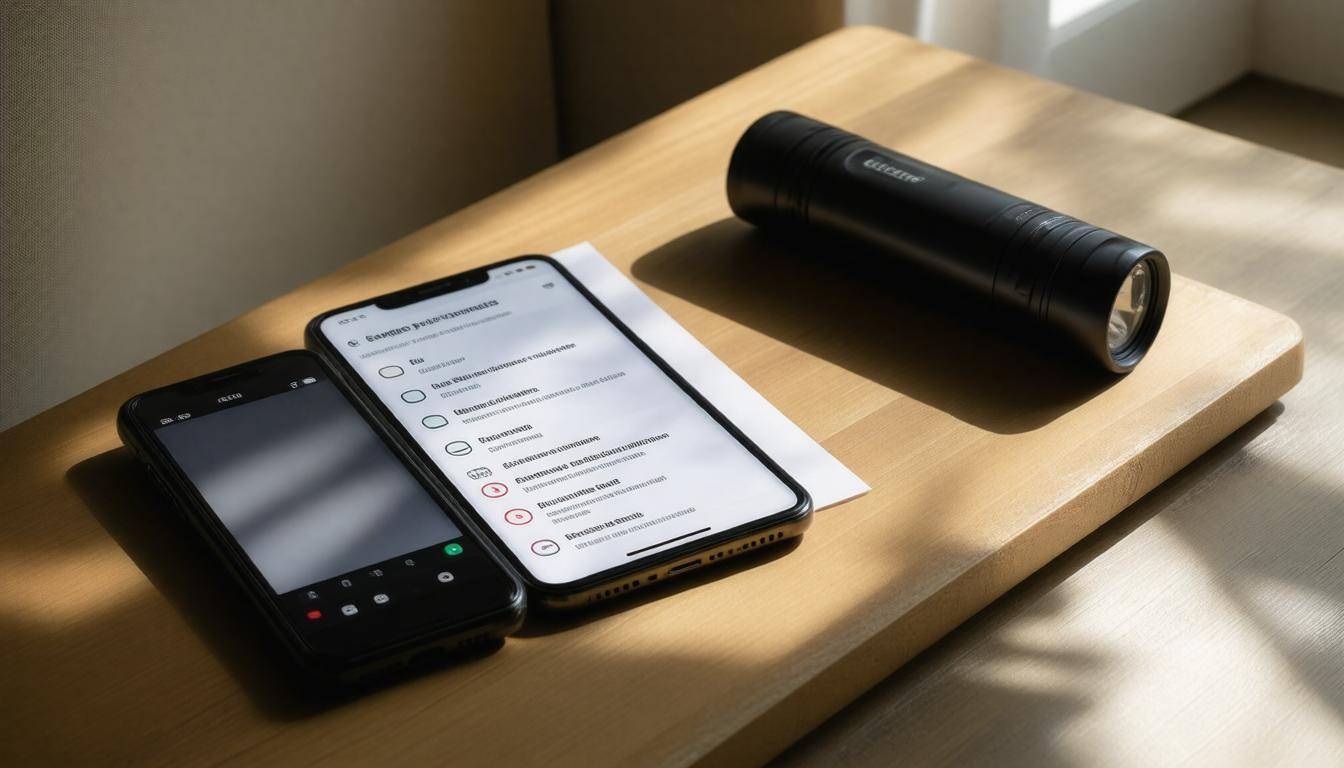
Preparing Your Cell Phone for Emergencies
One of the first steps in preparing your cell phone for emergencies is ensuring that your software is not only up-to-date but also functioning optimally. When I say “up-to-date,” I’m referring to both the operating system and any essential apps you might rely on, such as communication tools or emergency services access. Keeping your device updated means having the latest security patches, which shield your device from vulnerabilities that could prevent you from making calls or accessing information during a crisis. It’s a safeguard against potential threats in tense situations.
Now, let’s talk location services. Enabling your phone’s location services can significantly improve response times during an emergency. Emergency responders often depend on accurate locations to reach you faster. For instance, if you’re lost during a wildfire or in an unfamiliar area, having location services activated lets authorities find you more efficiently. So, don’t overlook this feature; it could be instrumental in getting help when you need it most.
After fine-tuning your updates and settings, it’s important to ensure quick access to help when necessary.
Next up is activating the emergency SOS feature on your device. This function has become standard across most smartphones and provides a seamless way to summon assistance. On the Apple iPhone, this feature requires pressing the side button five times rapidly, while Android devices may differ by manufacturer but generally include similar options within security settings. Familiarizing yourself with how to access these features before an emergency strikes is crucial. Imagine fumbling with buttons when every second counts; knowing how to activate them could save lives.
“Being prepared isn’t just about what you have; it’s about knowing how to use it effectively.”
As a personal anecdote, I once found myself hiking alone when a sudden storm rolled in. My phone was updated, my location services were active, and I had already set up my emergency contacts using the SOS feature. When lightning struck nearby, I quickly pressed my side button five times – a mere muscle memory at that point. The alert sent out my location to my loved ones while simultaneously calling for emergency assistance.
Yet, while technology is vital in our preparedness toolkit, other straightforward actions are equally important.
Beyond software functionalities and alerts, another key step is ensuring that your phone’s battery life remains robust and ready. In emergencies where power may be unreliable, understanding battery optimization can be invaluable. For instance, enabling Battery Saver Mode reduces background activity and can extend battery life by as much as 30%. Additionally, reducing screen brightness and turning off location services when they’re not needed helps conserve those critical percentage points on your battery life – points that could make a difference between reaching out for help or not.
Finally, think ahead about storage on your device. Aim to have at least 2GB of free space available for emergency apps and crucial updates so that essential communications can go through without hiccups due to insufficient storage issues.
With these preparations in place, it’s time to explore tools designed specifically to keep us safe during crises.
Essential Apps for Safety
When preparing your cell phone for emergencies, incorporating the right apps can make all the difference. Each app serves a specific purpose that can enhance your readiness and responsiveness. For instance, consider the Red Cross Emergency App. This comprehensive tool not only provides real-time alerts about various emergencies—like severe weather or natural disasters—but also equips users with safety tips, checklists, and first aid information. Imagine receiving an alert on your phone letting you know there’s a tornado warning in your area; having immediate access to critical safety tips could save lives.
However, it’s not just about alerts; it’s also about communication during crises.
That brings us to Zello, a unique app that transforms your smartphone into a walkie-talkie. This feature is particularly useful when conventional networks fail due to heavy usage during emergencies. You can communicate with family and friends even in chaotic situations, allowing for coordinated efforts in evacuations or seeking help. Whether you’re stuck in a crowded shelter or outside during a storm, Zello offers the reassurance of staying connected when it matters most.
Being connected is essential, but knowing where everyone is can add another layer of security.
This is where Life360 comes into play. It enables location sharing among family members, which is especially important during emergencies when plans can change rapidly. If a family member is at work and another is home while disaster strikes, this app allows them to see each other’s locations seamlessly. Additionally, it offers features like safety check-ins to confirm that everyone is safe during stressful events like earthquakes or floods.
Alongside these communication tools, access to official resources can be vital in a crisis.
The FEMA App is essential for anyone looking to stay informed about federal disaster resources. Not only does the app provide immediate weather alerts, it also includes safety tips, storm tracking maps, and recovery resources after a disaster has taken place. By familiarizing yourself with FEMA’s offerings ahead of time, you’re better prepared to respond correctly when an emergency happens.
In addition to situational awareness, having medical information readily available can be lifesaving.
The Medical ID app stores crucial medical data—like allergies and chronic conditions—that emergency responders may need to know if you’re incapacitated. With this information displayed on your lock screen, paramedics can quickly assess your situation without waiting for identification or detailed explanations from you or bystanders.
Once you’ve downloaded these critical apps onto your device, it’s equally important to set up their notifications correctly.
“Staying prepared is half the battle; ensuring timely updates from these apps seals the deal.”
By customizing notifications, you’ll always be alert to potentially life-saving information exactly when you need it.
As we move forward, let’s focus on how to effectively manage and preserve those critical emergency contacts that will keep you connected in times of need.
Saving Critical Emergency Contacts
Having quick access to critical contacts is not just a convenience—it’s essential in emergencies when every second counts. Imagine being in a crisis and frantically searching through your phone for someone to call. You need to bypass the panic and uncertainty; that’s where a well-organized contact list becomes invaluable.
Emergency Contacts Setup
First and foremost, consider storing key contacts under “ICE,” which stands for “In Case of Emergency.” Labeling them this way assists emergency personnel in swiftly locating vital information if you’re unable to communicate. These contacts could include family members, close friends, or anyone who should be informed when emergencies arise.
The next step is a little more technical but equally important.
You can also add these ICE numbers to your phone’s emergency settings. Most smartphones allow access to emergency contacts without unlocking the device—a feature that can facilitate prompt communication during crises. This makes it easier for first responders to reach out without delays, ensuring that the right people are informed of your situation.
Lastly, incorporating local emergency numbers is a simple step that can make a significant difference.
Make sure to include essential local emergency numbers, like the closest hospital and police station. In situations where 911 lines may be overloaded or unavailable, having direct access to these resources can save precious time when every moment matters. Keep in mind that this information varies based on location, so consider doing a little research and updating these contacts regularly.
Preparing for the unexpected goes beyond just saving a few numbers; it’s about ensuring that crucial connections are accessible at all times.
By taking the time to organize your contact list properly, you’re enhancing your own safety while also preparing for efficient communication should an emergency arise. With ensured connectivity and reliable contact management in place, it’s vital to turn our attention towards maintaining optimal functionality of your device’s power source.
Strategies for Battery Optimization
During emergencies, having a fully charged phone is crucial, as it can be your lifeline to help. However, battery life tends to dwindle quickly when you’re using multiple applications or dealing with harsh conditions. Fortunately, there are effective strategies for enhancing battery performance that can make all the difference when every second counts.
Step I – Activate Low Power Mode
One of the first moves you should make is activating Low Power Mode (often referred to as Battery Saver mode) on your device. Enabling this feature reduces background activity and limits certain functionalities that deplete battery life. For instance, automatic downloads and mail fetches may be disabled, which helps keep your battery running longer in crucial moments. It’s like putting your phone into a sleep mode where it conserves its energy for times you need it most.
Now that you’ve lessened the demand on your battery’s resources, let’s tackle one of the biggest drains: screen brightness.
Step II – Reduce Screen Brightness
Lowering your screen brightness is an exceptionally easy yet effective way to stretch your battery life. Dimming the display not only conserves energy but also makes it more comfortable to use in low-light situations—an advantage during emergencies when visibility might be compromised. Additionally, adjusting your screen timeout settings so that your display turns off more quickly after inactivity can further contribute to power savings.
While screen adjustments provide immediate relief, turning off features that drain energy can dramatically improve overall efficiency.
Step III – Disable Battery-Draining Features
Turn off features like Wi-Fi, Bluetooth, and GPS whenever they’re not necessary because these settings consume significant amounts of power. Disconnecting from Wi-Fi networks or disabling location services reduces stress on your battery, ensuring it lasts longer when you need it most. In fact, according to a study by Battery University, simply turning off these power-hungry features and utilizing low-power modes could extend your device’s usage time by up to 20%. That percentage can be paramount when you’re relying on your phone for updates or navigation during an emergency.
Optimizing battery life isn’t just about saving a few extra minutes of usage; it’s about maintaining access to critical communication when it matters most. Understanding how to strategically manage your device lays the groundwork for staying informed and safe during crises.
Effective Communication During Crises
In times of crisis, staying connected can make all the difference. It’s not just about what you say but how and through which mediums you communicate. Relying on traditional phone calls during emergencies can lead to frustration when networks are congested or down altogether. This is where the power of text messaging reveals itself as a reliable alternative. Text messages, often abbreviated to SMS, require less bandwidth than voice calls, making them more likely to be transmitted successfully when cell towers are overloaded.
Research shows that 70% of Americans lean on their cell phones as their primary communication tool during emergencies. That’s a compelling reason to learn how to use it wisely!
Setting up SMS alerts for local emergency management agencies is a smart choice. During catastrophes, check if your community has any ongoing text alert systems; these services can provide timely updates on evacuation orders, shelter locations, and vital safety tips—all straight to your device.
Beyond just texting, another key aspect in maintaining communication is how you utilize your data.
Data Conservation
Keeping your digital conversations lean is essential in emergencies. There’s an array of communication apps, like WhatsApp and Telegram, perfectly designed to function with limited data availability. These platforms compress messages, allowing them to transmit quickly even under poor network conditions. Their design means that while everyone is scrambling for signal strength, these apps can function effectively, keeping you connected.
A practical illustration comes from the devastating wildfires in California back in 2020. Many residents turned to WhatsApp not only to stay in touch with loved ones but also to share critical updates about changing fire lines or safe routes for evacuation. Those who were equipped with this knowledge—thanks to effective communication—were better prepared and safer during those perilous times.
As you think about enhancing your emergency communication strategies, consider not just what you communicate but also when.
Importance of Readiness
Preparation helps instill confidence when unexpected situations arise. Regularly updating contact information and ensuring that your family knows how to reach one another during a crisis are foundational aspects often overlooked. Practice running through emergency scenarios where communication is paramount—who would contact whom? Where would you meet? Building these conversation patterns can cut through confusion when every second counts.
By integrating methods like SMS for essential communication and selective data conservation strategies into your emergency plan, you’re crafting a robust safety net that’s more than just a good idea—it’s a necessity for modern living in precarious environments. Keeping an eye on the tools and techniques tailored for crises will ensure you’re never left without vital connections when they are needed the most.
With all this proactive communication planning in place, it’s crucial to explore how you can tap into available resources for real-time alerts and updates during emergencies.
Accessing Emergency Alerts
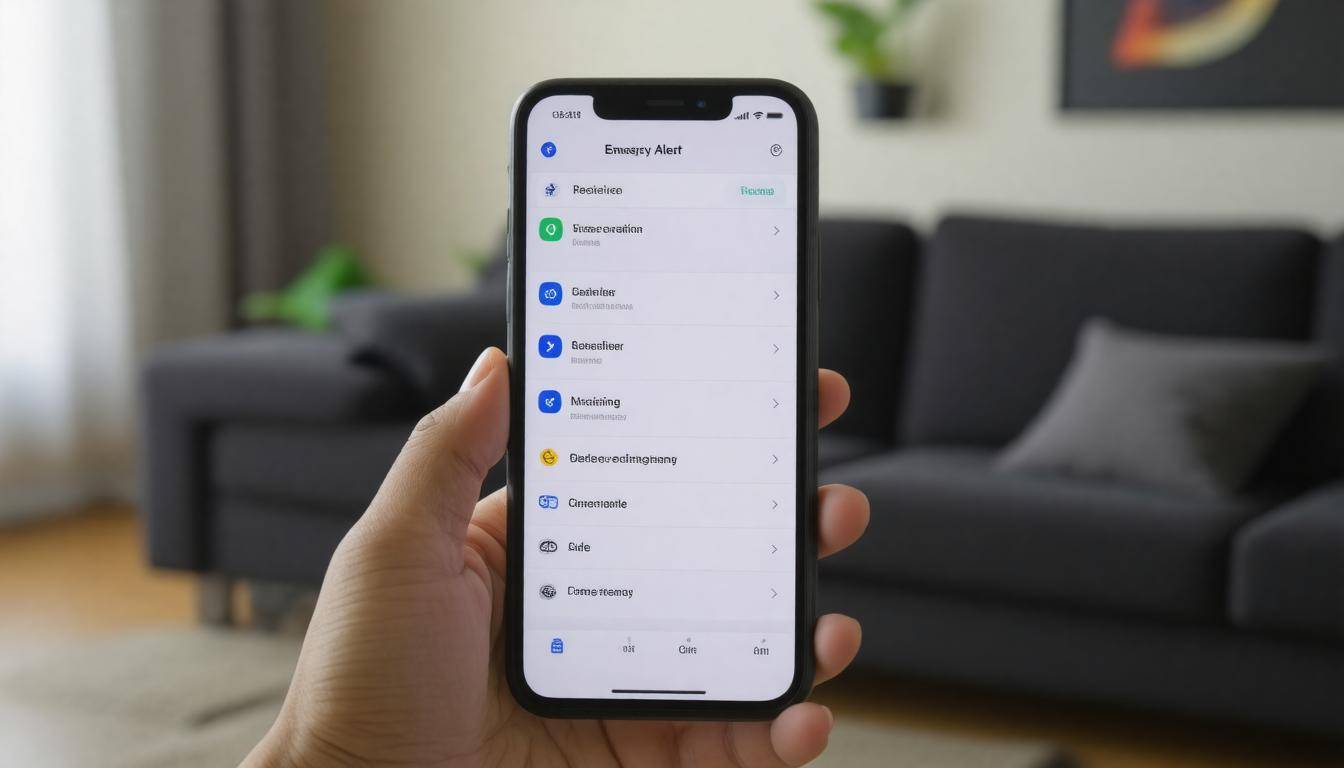
Emergency alerts are vital tools that keep us informed when crises arise. Knowing how to access them can be lifesaving. One of the most immediate ways to receive these notifications is through Wireless Emergency Alerts (WEA), set up to deliver important messages directly to your smartphone. Most modern smartphones automatically include this feature, allowing local authorities to push out urgent warnings about severe weather, natural disasters, or public safety threats in real time.
By enabling this feature on your device, you ensure that critical updates follow you wherever you go, providing crucial information just when you need it.
Moreover, customizing third-party apps can significantly improve your alert system. Apps like FEMA or local emergency management systems allow users to tailor settings according to specific preferences and geographical locations. You can select the types of alerts that matter most to you—whether it’s health advisories or evacuation orders. Regularly checking these settings is crucial; many people overlook this aspect after the initial setup.
Configuring Important Settings
Alongside these app notifications, it’s essential to ensure your smartphone’s ‘Do Not Disturb’ settings permit emergency alerts to come through. If you’re like many who depend on focus apps and silencing options during work hours, imagine missing an urgent warning simply because your phone was muted. This subtle adjustment can make a significant difference in staying safe.
Here are a few quick tips for configuring your emergency alert settings:
- Check for Updates: Make sure both your operating system and applications are updated regularly.
- Test Alert Feature: Periodically run tests of the WEA service through your settings.
- Explore Local Options: Research if there are additional local apps available for disaster notifications that suit your needs.
Each action taken towards optimizing these alert systems greatly enhances your capacity to respond promptly during emergencies. Embracing technology and understanding its role in communication builds a comprehensive safety net around yourself.
Equipping yourself with knowledge and tools is only part of the equation; it is also vital to consider how you’ll keep your devices charged and ready during uncertain times.
Reliable Charging Solutions
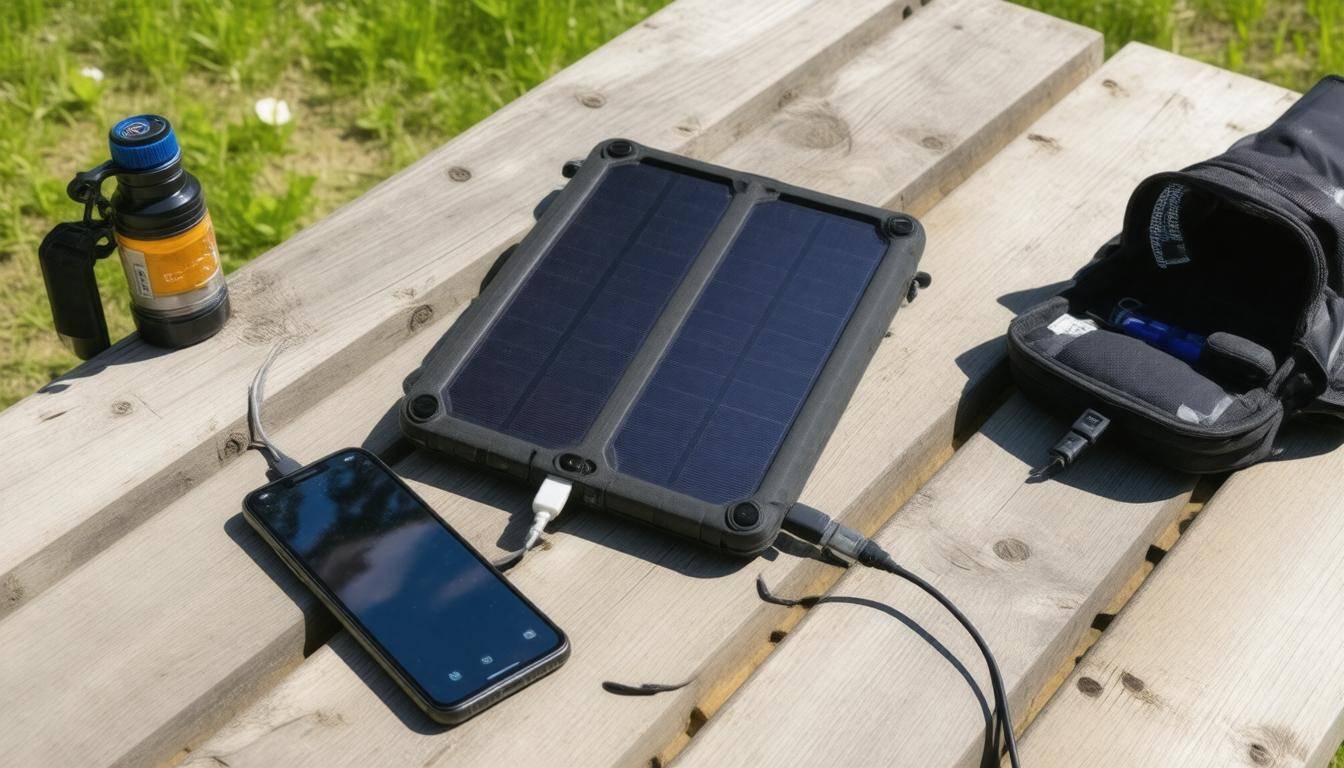
When the lights go out or when you find yourself in an unexpected predicament, a reliable charging solution becomes your lifeline. It’s essential to plan for these scenarios ahead of time. One of the best ways to do this is by investing in high-capacity portable chargers, often referred to as power banks. A good rule of thumb is to choose a power bank with at least 10,000mAh. With this kind of capacity, you can rest assured that it will provide several full charges for your smartphone—an invaluable resource when you’re trying to stay connected during emergencies.
But how do these devices work? Essentially, they store energy for on-the-go use, making them perfect for ensuring you always have a backup power source available. Many even come with multiple USB ports, allowing you to charge multiple devices at once, which is particularly handy if you’re traveling with family or friends. Additionally, look for features like fast charging capabilities; some models support Quick Charge technology that can significantly speed up the recharging process while maximizing efficiency.
While portable chargers are great for initial emergencies, prolonged power outages may require alternative solutions.
Solar Chargers
Enter solar chargers. As the name suggests, these innovative devices utilize sunlight to generate electricity. This feature makes them especially beneficial during extended periods without access to traditional power sources. Depending on the model, many solar chargers can effectively convert sunlight into usable energy—even on overcast days. For instance, users rave about the Anker 21W Solar Charger, which has consistently demonstrated its efficiency even in low-light conditions. It shows users that being off-grid doesn’t mean sacrificing connectivity.
Combining both portability and sustainability, solar chargers allow you to harness nature’s resources effectively. Further enhancements may include features such as waterproofing and rugged designs—ideal for camping trips or emergency kits alike! You might also consider models equipped with built-in battery storage that allows you to charge devices overnight after absorbing sunlight during the day.
Whether opting for portable or solar chargers, knowing how and when to utilize them is just as critical.
Tips for Maximizing Charging Efficiency
To make sure you’re getting the most out of your charging solutions during crises, here are a few actionable tips: First, always keep your devices updated—software optimizations can enhance energy efficiency and allow your phones or tablets to run longer on less battery. Second, try reducing screen brightness and closing unused apps while charging; this simple trick helps conserve energy, prolonging the battery life until you can recharge again.
By taking steps to prepare now with high-capacity portable chargers and sustainable solar options, you’ll ensure that you remain connected, informed, and ready for whatever may come your way.
With these strategies in mind, it’s time to turn our attention toward more advanced methods of preparing yourself for potential emergencies in various circumstances.
Advanced Emergency Preparedness Steps
While you’ve taken great strides to ensure you have reliable equipment, building an emergency kit tailored to your specific needs is essential. Start by gathering items that will sustain you in various scenarios. Your emergency kit should include additional chargers to keep your devices powered up, ensuring that communication lines remain open regardless of circumstances.
Extra batteries should also be part of this kit—nothing is worse than running out of power at a critical moment.
Having a small solar panel could be a game changer during power outages or in remote areas where electricity is unavailable. It allows you to recharge devices sustainably and efficiently, reinforcing the idea that preparation pays off in the long run.
Beyond the essentials, consider diversifying your communication options as part of your preparedness strategy.
Step II – Satellite Communication
In some situations, cell service may not just be unreliable; it may be entirely non-existent. This is where satellite communication devices, like Garmin InReach, become invaluable. These devices operate independently of cell towers, using satellites to send messages and coordinate help when needed.
Imagine being on a hiking trip deep in the wilderness when an unexpected storm rolls in. With a satellite device, you can communicate your location and condition even where cell phones fail you.
Investing in satellite communication means peace of mind. You’ll always have a line of communication back to your loved ones or emergency services. Just ensure you familiarize yourself with how to operate such devices before an emergency occurs.
Finally, let’s address the importance of having backup systems in place.
Step III – Backup Phones
Keeping a secondary phone can play a crucial role during an extended crisis. A simplified model, fully charged and ready for use, can often last significantly longer on a single charge compared to smartphones. Even if it lacks flashy features or apps, its primary function—communication—is what truly matters when every second counts.
Think about it: in an emergency where networks are overloaded or if you’re simply trying to conserve battery life while keeping track of vital communications, having that backup phone can make all the difference between staying connected and feeling isolated.
By following these advanced steps in emergency preparedness, not only do you bolster your ability to communicate during crises, but you also pave the way for greater resilience against unexpected events.
Incorporating these strategies into your plans will ensure you’re better equipped for any situation life throws your way.
What specific settings should I adjust on my phone to enhance safety in emergencies?
To enhance safety during emergencies, adjust your phone settings by enabling emergency alerts, turning on location services for accurate tracking, and setting up a medical ID accessible from the lock screen. Additionally, ensure your phone is charged and consider activating power-saving modes to extend battery life. Statistics show that 80% of smartphone users receive critical information through these alerts, making it vital to stay informed during emergencies.
How can I ensure my cell phone stays charged during an emergency situation?
To ensure your cell phone stays charged during an emergency, invest in a portable power bank with a high capacity, ideally above 20,000mAh, as it can recharge your phone multiple times. Additionally, consider solar chargers for sustainable energy if you’re outdoors. Keep your phone in battery saver mode, limit app usage, and disable non-essential functions like Bluetooth and Wi-Fi to extend battery life. Statistics show that over 80% of smartphone users find themselves needing backup power in emergencies, making preparation essential.
What essential apps should I install for emergency preparedness on my cell phone?
For emergency preparedness, essential apps to install on your cell phone include a weather app (like NOAA Weather) for real-time alerts, a local news app for updates, and an emergency communication app (such as Zello or FireChat) that can work without cell service. Additionally, first-aid resource apps like the Red Cross First Aid app provide critical health information during emergencies. According to the Pew Research Center, 85% of Americans use smartphones, making it vital to have these resources readily accessible during any crisis.
What types of data backups are important to have in case of an emergency?
In case of an emergency, it’s crucial to have multiple types of data backups, including cloud storage (such as Google Drive or Dropbox), external hard drives, and physical copies of important documents. Cloud storage allows for remote access and automatic updates, ensuring your data is safe from local disasters; about 60% of people who back up their files use the cloud for this reason. External drives provide a tangible backup that can be kept in a safe place, while physical copies of essential documents (like IDs, medical records, and insurance policies) are invaluable during emergencies when digital access may be compromised. Having diverse backup methods increases the likelihood of data recovery when you need it most.
How can I create a contact list for emergencies on my cell phone effectively?
To create an effective emergency contact list on your cell phone, start by identifying key individuals such as family members, close friends, and emergency services. Use clear labels like “ICE” (In Case of Emergency) before each name to ensure they are easily identifiable. Additionally, consider adding relevant medical information for each contact, such as allergies or pre-existing conditions. Studies show that up to 70% of bystanders may hesitate to help in emergencies due to uncertainty about the victim’s details; having a clearly organized contact list can significantly enhance response times and preparedness. Finally, regularly update your list to reflect any changes in your circumstances or contact information.