
In a world increasingly reliant on digital technology, the thought of losing important documents can be downright terrifying. Whether it’s cherished family photos, crucial business reports, or academic papers, data loss can strike anyone at any time. The good news? There are smart and effective ways to protect what matters most to you. This guide will dive into digital document backup systems—exploring different types and strategies that ensure your information stays safe and sound, no matter what happens. By the end, you’ll not only understand why backups are essential but also how to choose the best system for your needs, making sure you’re always one step ahead of potential disasters.
The Complete Guide to Digital Document Backup Systems offers detailed insights into various backup strategies, types of storage solutions, and key considerations for safeguarding your data. By exploring this guide, you will learn about essential techniques like automation, redundancy, and multi-cloud strategies while understanding how to implement robust backup policies tailored to your organization’s needs.

Exploring Digital Document Backup Systems
Digital document backup systems come in a variety of forms, each designed to meet different data protection needs. Understanding these options clarifies their functionalities and how they fit into personal or business restoration strategies. For instance, removable media, such as flash drives and external hard drives, might seem appealing due to their portability and affordability. However, while easy to store when not in use, they also carry limitations, including susceptibility to physical damage and limited storage capacity. Therefore, relying solely on removable media for backups could be a gamble.
Besides these basic options, the landscape broadens with more robust solutions like network-attached storage (NAS).
A NAS system offers users the ability to store large amounts of data centrally. It can serve multiple clients over the same network, making it a suitable choice for small to medium-sized businesses that need consistent access to shared files. To illustrate, imagine a design studio where several team members need simultaneous access to project files. With a NAS setup, updates happen in real time across all devices, ensuring everyone is on the same page without the hassle of outdated versions floating around.
Additionally, these systems are often scalable; you can start small and expand as your storage needs increase.
But what about data protection measures? This is where redundancy comes into play. For critical data integrity, creating multiple copies of your information across different formats and locations is crucial. Systems leveraging RAID configurations enhance reliability against hardware failure by distributing copies of data across multiple disks, thus providing effective defense against unexpected issues. When one disk fails, others take over seamlessly.
Meanwhile, cloud-based solutions have transformed the backup conversation dramatically.
In 2024 alone, the importance placed on cloud technology skyrocketed as organizations work toward more flexible storage solutions. According to recent data, 58% of companies now integrate cloud services into their backup strategies. This shift indicates a recognition of the benefits that come from offsite data storage—enhancements in accessibility and continuity during disasters are just a couple of those advantages. Imagine the comfort that comes from knowing your vital business records are safely stored far away from any potential local incident.
However, transitioning to cloud services does mean keeping certain considerations front of mind—such as encryption for security and regular validation checks—the continuous ability to recover data is paramount in low-risk scenarios.
By exploring these varied options, individuals and businesses alike can craft tailored backup strategies that prioritize both safety and efficiency in today’s digital landscape. As we navigate through this evolving field, understanding why these systems are indispensable will prove essential for effective data management.
Why Backup Systems are Essential
Imagine for a moment that you’ve just spent countless hours perfecting a project or accumulating important data—only to lose it all in an unexpected power outage or a malicious cyberattack.
Having a reliable backup system ensures you’re prepared for such unforeseen events, acting as your safety net when disaster strikes. According to Gartner, businesses experience an alarming average cost of $5,600 per minute of downtime due to data loss or system outages. This staggering figure illustrates the critical need for effective data protection strategies.
Protecting Against Data Loss
Backup systems serve as a fortress against the risk of losing vital information caused by various threats including hardware failures, human errors, and ever-evolving cyber-attacks. In fact, statistics reveal that 31% of data loss incidents arise from hardware issues alone.
A reliable backup allows companies to recover quickly without suffering devastating financial losses. For instance, without backups, simple mistakes such as accidentally deleting files could lead to irreversible data loss.
“A stitch in time saves nine.” This age-old adage rings true when it comes to backing up your data—a small effort today can prevent mountains of trouble tomorrow.
Ensuring Business Continuity
To illustrate this point, let’s take a look at Johnson & Johnson, who recognized the importance of having a solid backup framework. After implementing a hybrid backup strategy, their Chief Information Officer proudly reported a 60% reduction in recovery time during disruptions.
This not only kept operations running smoothly but also instilled greater confidence among employees and stakeholders alike.
Implementing robust backup solutions means you’re not merely preserving files; you are securing the foundation for business continuity. If your organization faces a crisis, the last thing you want is to scramble around attempting to retrieve lost data while the clock ticks away, racking up potential losses.
A strong backup strategy equips your team with peace of mind, knowing that they can recover efficiently and effectively.
Having understood the critical role that backup systems play in protecting valuable assets and ensuring ongoing operations, it’s essential to evaluate how different storage options can best suit your needs moving forward.
On-Premise vs. Cloud Solutions
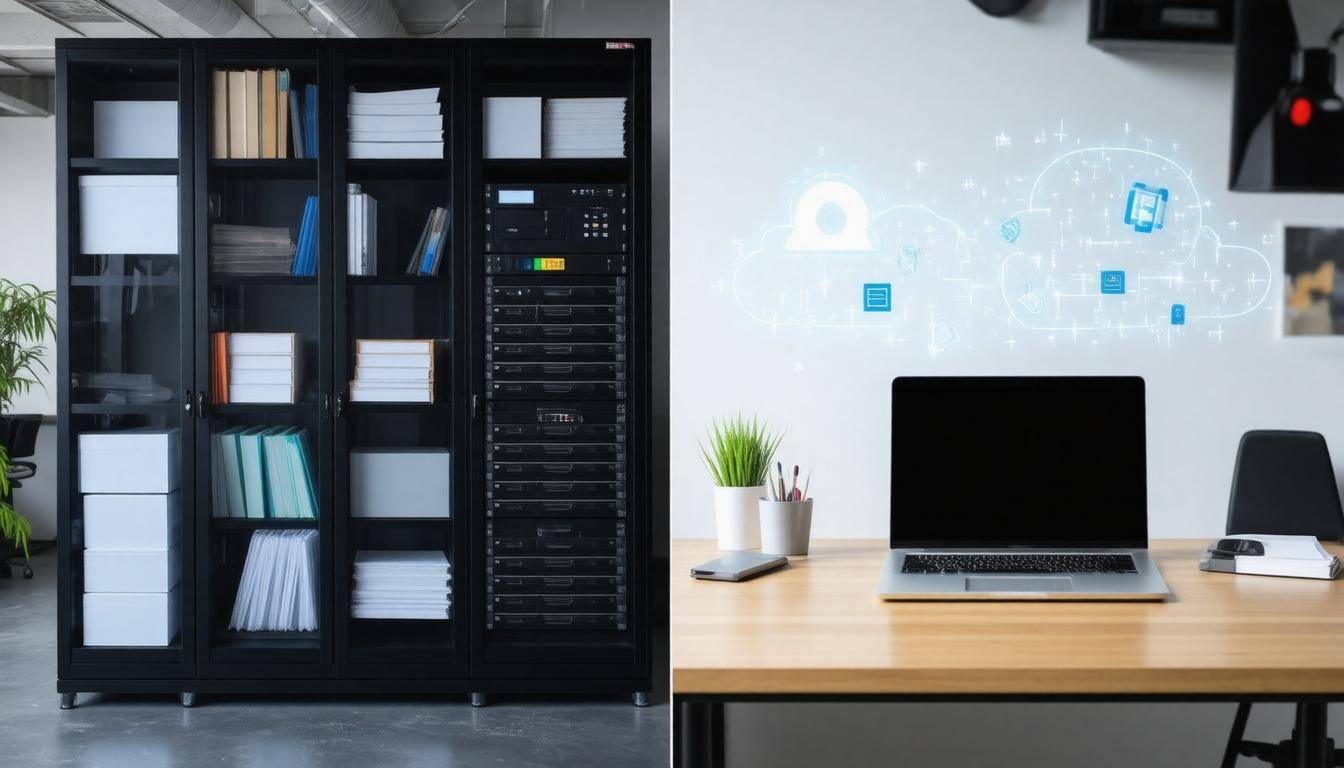
The debate over whether to employ on-premise or cloud storage is akin to choosing between keeping your prized possessions in a sturdy safe at home or trusting them to a security service that promises protection. Each option has its own set of advantages and challenges, making it essential to know where your priorities lie.
On-Premise Solutions
On-premise solutions refer to physical devices, such as Network Attached Storage (NAS), external hard drives, or dedicated backup servers, that reside within your organization’s premises. They provide the tangible reassurance of having all your critical data just a short distance away; you can see it, touch it, and access it without the need for an internet connection.
One fundamental advantage of on-premise systems is their speed. Imagine needing instant access to vital information—having that data stored nearby allows for quick retrieval, which is crucial during decision-making processes or times of crisis. Additionally, this setup grants complete control over security measures, meaning you dictate how data is protected—an appealing aspect for organizations concerned with compliance and privacy regulations.
However, owning physical hardware can be a double-edged sword. These systems are vulnerable to physical damage from disasters like fires, floods, or even theft. Should such unfortunate events occur, not only could you lose important data but restoring it could become an uphill battle. It’s essential to ask yourself: how secure is my physical environment?
Cloud Solutions
Alternatively, cloud solutions store data remotely on third-party servers accessible via the internet. This means that instead of bearing the responsibility of hardware management yourself, you partner with established providers who specialize in data storage.
One significant benefit of cloud solutions is their scalability. As your organization grows and your storage needs evolve, you can easily adjust your plan without the hassle of investing in new physical equipment. Not only does this flexibility save time and resources, but it also allows companies to budget effectively over time by paying only for what they need.
According to IDC, by 2025, 78% of businesses will have adopted cloud backup strategies primarily due to these attractive features. The initial costs being lower than setting up an on-premise system certainly contributed significantly to this shift in preference.
With these contrasting choices laid out before you, identifying the important characteristics of a backup system becomes essential for navigating through digital document storage solutions successfully.
Key Features to Look For
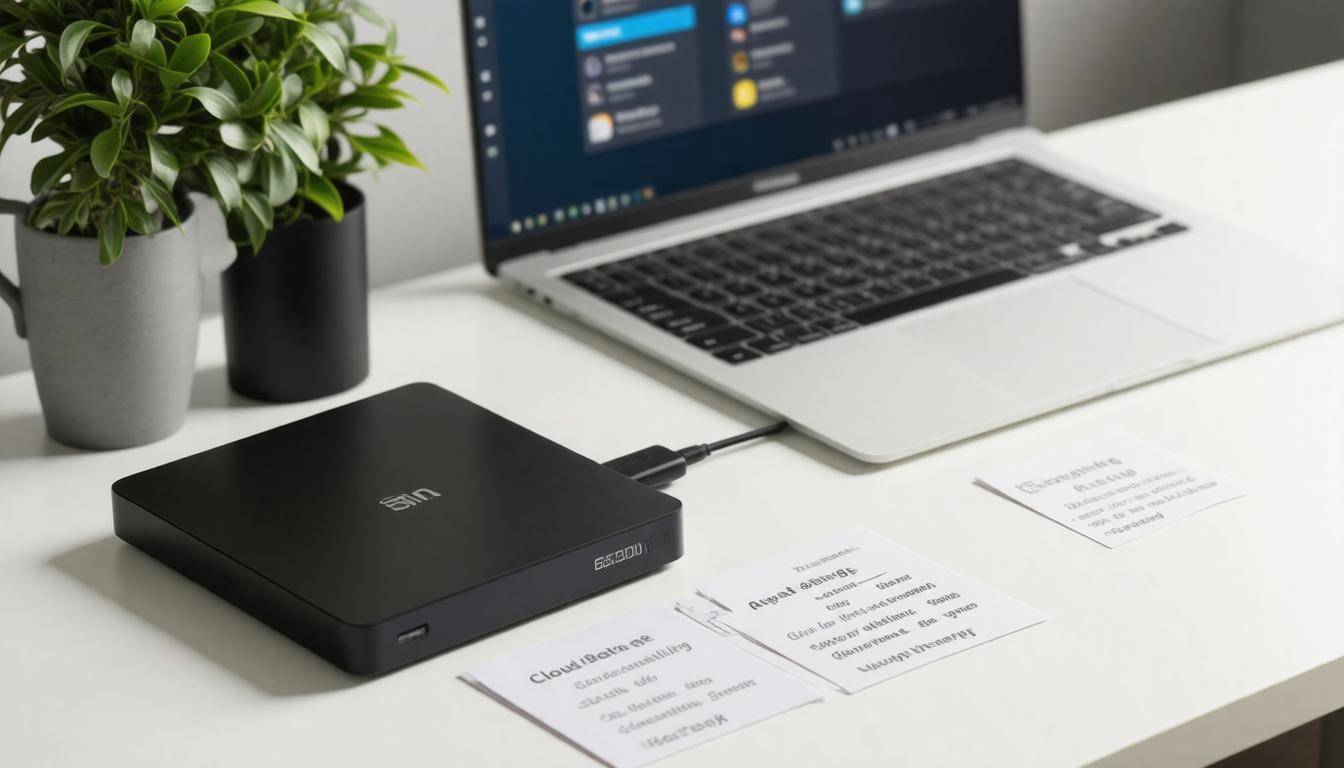
A robust backup system acts like a safety net for your vital data, ensuring it remains intact and accessible, even in challenging situations. When evaluating backup solutions, there are several key features to keep in mind that will safeguard your data and make retrieving it as seamless as possible.
Storage Capacity and Scalability
First and foremost, consider storage capacity and scalability. When choosing a backup service, think about how much data you currently have and project future needs. It’s crucial to select a system that can handle your existing data volume while allowing for growth. Many people find themselves in a bind when they underestimate their storage requirements or fail to think ahead about increasing data demands.
Backup solutions should offer flexibility, enabling you to adjust your capacity without undergoing a significant upgrade process down the line. Data grows over time—be it through more photos from vacations, increased work documents, or expanded media collections. Imagine investing in a 1TB service only to find it full within a year because you didn’t consider how quickly your files accumulate. Scalable solutions allow you to expand your storage easily, which can save headaches and ensure continuous protection of your important files.
Speed and Performance
Next up are speed and performance. These factors absolutely cannot be overlooked when selecting a backup solution. Fast read/write speeds facilitate quick backups and restores, minimizing downtime that can be inconvenient during operational moments. For instance, if you’re using an SSD-based NAS (Network Attached Storage), expect superior performance compared to traditional HDD-based systems which tend to lag on these fronts.
This can mean the difference between getting back online right away after an issue or enduring frustrating delays.
Think of speed as the efficiency driver of your backup strategy. No one likes waiting for updates or restores to happen when they could be working instead. Systems that employ solid-state drives (SSDs) typically showcase quicker access times because their technology eliminates mechanical delays seen in hard-disk drives (HDDs). Therefore, if immediate access is essential for your workflow, leaning towards faster options is worth considering.
Automatic vs Manual Backups
Beyond these standout features, the choice between automatic and manual backups also plays a crucial role in managing your data backups efficiently. Automatic backups can save you from the laborious task of reminding yourself to back up at regular intervals—they perform the task for you! However, if you’re a hands-on person who prefers control over what gets backed up when, manual backups might suit you better.
Consider how you prioritize convenience versus control in your digital life when deciding which method best suits your needs.
Understanding these features—along with developing effective backup strategies—empowers you to make informed decisions about safeguarding your valuable data against loss or damage effectively and effortlessly.
With these considerations in mind, let’s explore the various approaches available for implementing backups, ensuring you’re well-equipped to protect your information securely.
Automatic and Manual Backup Options
Automatic backups operate seamlessly in the background, running based on a predetermined schedule set by the user or administrator. This method offers a significant advantage, particularly for businesses and individuals who manage substantial amounts of data daily.
Imagine a busy office environment where every minute counts; automatic backups allow peace of mind, ensuring that vital work doesn’t go unprotected. With one less thing to worry about, employees can focus on their tasks without fear of losing incremental changes. As a data protection enthusiast shared with me, “I love that I can set it and forget it—it just works.”
According to research from Backblaze, around 72% of users opted for automatic backups due to their convenience—an insight that emphasizes how important this feature is for those who prioritize reliability in their backup solutions.
However, while automatic backups are incredibly useful, there are times when manual backups make more sense.
Manual backups provide users with greater control over what data is backed up and when. This method suits individuals or smaller businesses with specific files or projects requiring attention rather than a blanket approach.
For instance, if you’re an artist working on a new piece, you might decide to save snapshots only at critical stages of your creation process. This can help avoid unnecessary data clutter during bursts of creativity when constant saving can feel disruptive. With manual backup options, users retain the ability to select only the most essential data points while aligning their backup frequency with personal workflows.
While this level of control can be advantageous, it does come with an obligation: users must remain diligent in scheduling regular backups to ensure they’re not left vulnerable should something unexpected occur—something we all dread.
Ultimately, whether choosing automatic or manual backups hinges on assessing individual or organizational needs and understanding how both methods impact day-to-day operations and overall data integrity.
The right choice often requires weighing convenience against control. Automatic backups offer a hands-off approach to data protection, perfect for environments where every second counts, while manual backups cater to those preferring direct engagement with their data management processes. Both routes lead toward fortified digital safety nets but consider integrating robust security measures regardless of the chosen method.
As we consider the intricacies involved in selecting the right type of backup system, it’s equally important to explore how to fortify these systems against emerging threats.
Security Measures and Encryption
The security of your digital documents hinges on having a backup system fortified with robust encryption. This is where end-to-end encryption steps in. Imagine sending a message sealed in a vault that only you and the recipient possess the key to; that’s what end-to-end encryption does for your data. It ensures that every piece of information is encrypted both during transit—when it travels over the internet—and while it’s stored in your backup system, effectively locking out anyone who shouldn’t have access, including potential hackers.
End-to-End Encryption
This form of encryption creates a secure line that guards your data from prying eyes until it reaches its intended destination. For example, when you upload files to a cloud service featuring end-to-end encryption, they are converted into a scrambled format before they leave your device. Only with the correct decryption key can these files be rendered usable again, thus preventing unauthorized access. This means not even the cloud service provider can peek into your sensitive information.
When considering backup systems for your sensitive information, look for those that implement Advanced Encryption Standard (AES) with a minimum key length of 256 bits. AES-256 is widely recognized for its exceptional level of security. It’s like having an ultra-strong lock on your front door—far more complex than basic locks—which makes it incredibly difficult for intruders to break in. This type of encryption provides peace of mind knowing that even with advances in quantum computing threats, your data remains safeguarded against future risks.
Moreover, managing sensitive information requires an even more stringent approach to security as our digital landscape continues to evolve.
To fortify your backup systems further, consider implementing two-factor authentication (2FA) alongside your encryption practices. With 2FA, even if someone inadvertently gains access to your password, they would still require a secondary method of identification—like a code sent to your phone—to access your data. Think about it as locking your door and then also putting a bolt on it for extra security.
By integrating these robust measures, you don’t just prepare against current threats; you also stay ahead of potential vulnerabilities as technology progresses. Regularly updating your software and monitoring your data access logs can alert you to any unusual activity and allow you to take prompt action should any anomalies arise.
Be cautious too when selecting cloud services: always scrutinize their privacy policies and user agreements regarding data ownership and encryption standards. Opt for those that not only provide strong encryption but also maintain transparency about how they manage and protect user data.
By adopting these comprehensive security measures beyond mere storage capabilities, you’re ensuring that the integrity and confidentiality of your documents remain intact—today and in the future. As we continue exploring this topic, understanding how to efficiently oversee highly sensitive materials will be crucial.
Managing Sensitive Information
Handling sensitive information such as financial records or personal data not only involves securing it but also necessitates a thorough understanding of associated risks. With looming threats from cybercriminals and the reality of human error — which accounts for 70% of data breaches — organizations must be vigilant. This vigilance begins with implementing robust strategies tailored to safeguard sensitive information effectively.
Data Compliance Regulations
One essential aspect is compliance with data protection regulations. Following standards like GDPR (General Data Protection Regulation) or HIPAA (Health Insurance Portability and Accountability Act) is not merely an option; it’s a necessity for any organization that manages sensitive data. For instance, companies handling healthcare data are legally required to comply with HIPAA, which mandates stringent security measures to protect patient information, including data encryption and access controls.
Regular audits serve as a crucial tool to ensure an organization adheres to these regulations. By having designated backup administrators, you can facilitate accountability and enforce policies surrounding data compliance effectively.
However, it doesn’t end there; effective management combines choosing the right system and maintaining it appropriately over time. Understanding your organization’s specific needs for sensitive data will guide you in selecting the most suitable backup solutions.
Implementing Best Practices
Critical best practices should be employed, including conducting ongoing employee training on data security protocols. Statistics indicate that 90% of organizations cite insufficient employee training as a lapse leading to data breaches; regular sessions can mitigate this risk significantly. Furthermore, adopting multifaceted storage strategies—such as offsite backups—can enhance redundancy and ensure that sensitive information is never held in one vulnerable location.
Managing sensitive information is about more than just physical protection—it encompasses a holistic approach that includes compliance with regulations, continual education, and rigorous auditing processes. Organizations that prioritize these areas not only safeguard their sensitive data but also build trust among clients and stakeholders alike.
As we explore effective ways to ensure your systems remain reliable and secure, attention will shift toward establishing a strategy that emphasizes both selection and ongoing maintenance for optimal performance.
Choosing and Maintaining a Reliable Backup System
The selection and maintenance of a backup system are not just a one-time task; they require ongoing diligence and thoughtful consideration. It begins with assessing your unique needs. Each organization has varying data volumes and risk levels associated with their digital assets, so considering these factors is crucial. For instance, if you’re running a small e-commerce site with thousands of customer profiles, your data’s criticality speaks to the necessity of securing it reliably. Don’t overlook the importance of understanding what data matters most to your operations!
After identifying your needs, the next step lies in comparing available options.
When it comes to backup solutions, weighing the benefits of on-premise versus cloud solutions is essential. While on-premise systems provide localized control and potentially faster access speeds, cloud services offer scalability and ease of accessibility from anywhere—ideal for remote teams.
It’s also worth mentioning that cloud solutions can be less costly than maintaining physical servers. However, pay attention to the specific features these systems offer; prioritize those that include:
- Scalability to accommodate future growth
- Efficient speed for quick backups
- Ironclad security protocols to thwart cyber threats
- User-friendly interfaces that simplify daily tasks
Once you have narrowed down your options based on assessment and feature checks, it’s time for practical evaluation.
Conducting trial runs with potential systems can give you valuable insights into performance under real-world conditions. Just imagine setting up a new system only to find out later that it can’t handle peak times or fails to execute timely backups—that would be frustrating! During this testing phase, look closely at how well the solution integrates into your existing workflows and whether its performance measures up to your expectations.
Maintenance should never be sidelined after you’ve chosen a backup solution.
Regular Maintenance Practices
Keeping software updated is vital in keeping security vulnerabilities at bay. Regular updates ensure that any known flaws are patched promptly, maintaining the integrity of your backup system. Periodic backup integrity checks should also be part of your routine practices; these ascertain that backups are functioning as expected and can be restored when needed.
It’s also wise to consider the longevity of any hardware involved in your backup solution. Aging hardware components can lead to failures at crucial moments, potentially resulting in catastrophic data loss. By staying proactive about replacing old equipment, you’ll mitigate unexpected issues down the line.
A notable study conducted by SAP showed that regular maintenance practices led to a 35% reduction in backup failures. They achieved this by following best practices like updating software frequently and routinely testing their backup processes. This statistic underscores the tangible benefits of commitment to diligent practice; investing effort into maintenance will yield reliable systems and peace of mind.
In summary, by understanding what makes an effective selection process and committing to consistent maintenance practices, you’re empowered to protect what truly matters: your valuable data.
By taking these steps toward establishing and maintaining a reliable backup system, you can safeguard your digital content while ensuring peace of mind for the future. Remember, proactive measures today will prevent reactive responses tomorrow.