
When the power goes out, it can feel like the end of the world, especially if your phone is on 1%. You might think that emergency charging stations are only for tech experts or doomsday preppers, but setting one up is simple and totally worth it. This guide will help you understand how to create a reliable charging station, ensuring your devices stay powered even in unexpected situations. Whether you’re at home during a storm or camping in the great outdoors, having a plan can make all the difference. Let’s dive into what you need to know to keep your essential gadgets charged and ready to go!
To set up a DIY emergency charging station, first select a compatible charger that meets your power needs and ensure adequate electrical supply in your garage. Then install the charger close to your vehicle’s parking spot to minimize wiring costs, and consider integrating solar systems for sustainable energy solutions during outages.
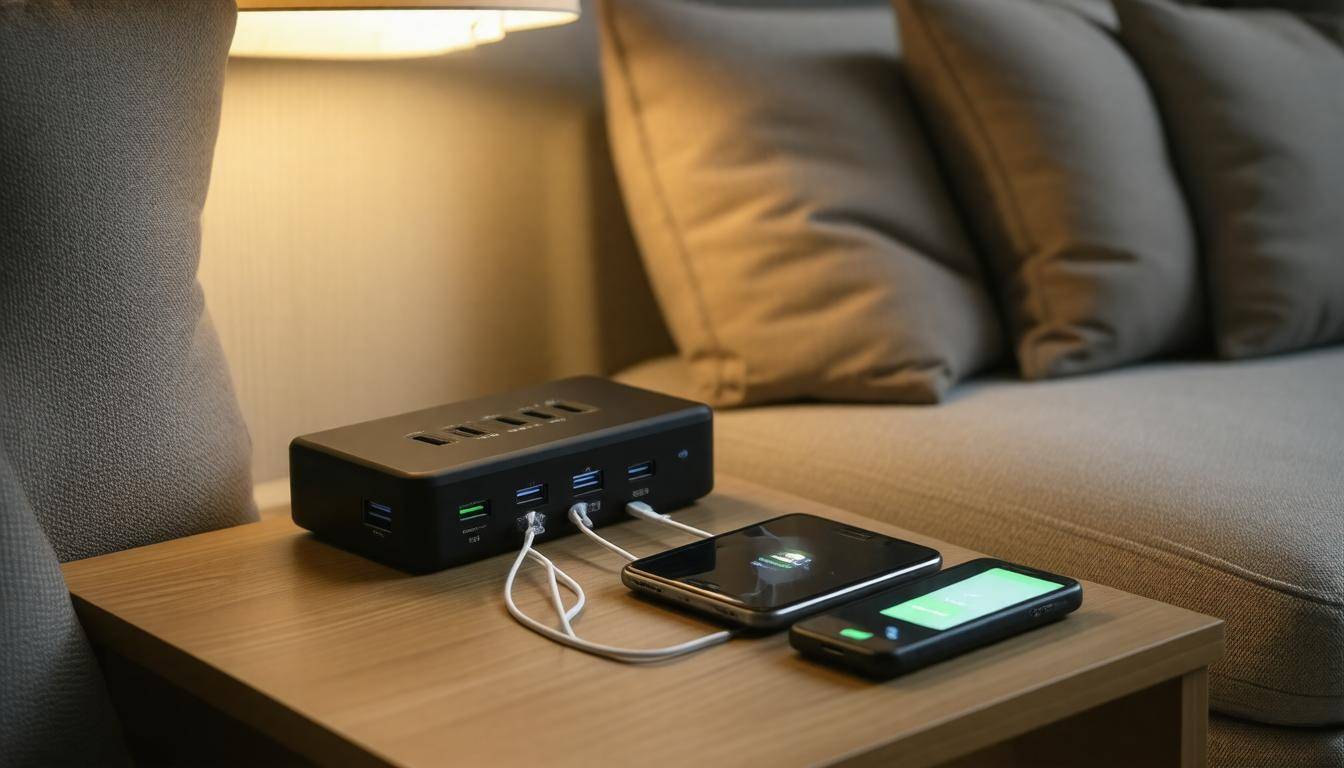
DIY Emergency Charging Station Setup
Setting up an emergency charging station is easier than it might first appear, and knowing how to do it effectively can save you a lot of hassles during unexpected power outages. First things first, understand that the success of your setup relies heavily on careful planning.
You need to clearly identify your various devices—like smartphones, tablets, or laptops—and their respective wattage requirements. This will not only inform your purchasing decisions but also help optimize the overall design and functionality of your system.
Step-by-Step Guide
Step I – Assessing Your Power Needs
As you gather your charging devices, consider creating a straightforward list. A smartphone typically consumes around 5 to 10 watts, while a laptop could require anywhere from 60 to 100 watts for efficient operation.
If you’re planning to charge multiple devices simultaneously, ensure your total power supply capacity can handle the sum of these needs. For example, if you plan to charge a laptop and two smartphones at once, you’ll need at least 75 watts minimum (for the laptop) plus another 15 watts for both phones.
Taking time for this exercise prevents surprises later on and ensures your charging station is equipped to handle all your essential devices simultaneously.
Step II – Choosing a Charging Station Type
Once you have a handle on your power needs, the next step is deciding between portable or fixed charging stations. Portable options are fantastic for their ease of mobility; however, they generally offer lower power outputs.
In contrast, fixed stations provide significantly greater energy output for more demanding tasks but require installation labor. Think about your needs carefully—if you foresee frequent transfer between locations, go portable; if reliability and power are paramount during emergencies, opt for a fixed option.
Knowing the pros and cons of each will guide you toward making a well-informed choice that meets your specific requirements—that way you’re confident in your setup when you need it most.
Step III – Setting Up the Charging Station
After you’ve chosen your charger type and gathered necessary power requirements, it’s time to set things up. If possible, access reliable schematics or manuals for guidance on wiring and assembly. This will minimize guesswork, which is vital when dealing with electrical setups.
Securely mounting components in a safe area ensures everything stays intact during adverse conditions, while using high-quality connectors such as Anderson Powerpole connectors for wiring provides durability and reliability over time.
The integrity of these connections is vital as weak points can lead to failures when least expected. Prioritizing robust materials ensures that your emergency charging station delivers consistent performance even through challenging circumstances.
Armed with this foundational knowledge, you’re now ready to turn your attention towards gathering the necessary components and supplies for your setup.
Gathering Materials and Supplies
Collecting the right materials is fundamental to establishing a reliable emergency charging station that you can depend on during outages or emergencies. It isn’t just about having everything at hand; it’s about ensuring that each component works harmoniously together. For instance, deep cycle batteries are considered the backbone of your system. Opting for models like Absorbent Glass Mat (AGM) or Lithium-ion will offer durability and longevity. While AGM batteries are often more budget-friendly, Lithium-ion batteries may provide higher energy efficiency and lighter weight, so choose according to both your needs and budget.
Next on our list is the inverter, which transforms the stored DC power from your batteries into usable AC power for appliances. Choosing a pure sine wave inverter is essential, as this type produces cleaner power output—suitable for sensitive electronics. The wattage rating of the inverter should accommodate the total capacity of devices you intend to power, ensuring that it can handle your requirements without straining.
Navigating through options can sometimes feel overwhelming; it’s wise not to compromise on quality with these key components since they determine how effectively your station operates.
After settling on batteries and an inverter, consider a few other indispensable components:
-
Charge Controller: This piece regulates the voltage and current coming from your solar panels to prevent overcharging. Selecting one that matches your battery type enhances performance and lifespan.
-
High-Quality Wiring: Using appropriately rated wiring and connectors ensures safe electricity flow. Look for heavy-gauge wire, designed for solar applications, which minimizes energy loss.
-
Tools: Basic electrical tools such as screwdrivers, pliers, and a multimeter are vital in connecting and troubleshooting your system. Make sure these tools are suitable for electrical work to ensure safety while you set up.
It’s advisable to purchase your materials from reputable retailers. Not only can you expect better quality, but many suppliers also offer warranties that protect your investment. Trusted stores like Amazon, Home Depot, or direct manufacturers frequently have established reputations for customer satisfaction.
With your list of materials in hand, you’ll be well-prepared to create an efficient charging solution tailored to your needs during emergencies or power outages. As you gear up for installation, exploring how renewable resources can enhance your overall setup will provide valuable insights.
Integrating Solar Technology
Solar integration can make your emergency charging station not just functional but also self-sufficient. Imagine a scenario where the power goes out unexpectedly, yet your smartphone, laptop, or other essential devices remain charged because of the solar setup you installed. This is the real beauty of using solar energy; it offers a dependable source of power that isn’t reliant on traditional electricity grids. It taps into a renewable resource—sunlight—which means that as long as there are sunny days, you have access to energy.
Benefits of Solar Power
One of the most compelling benefits of integrating solar panels is their ability to convert sunlight directly into electricity. This feature is particularly useful during extended power outages when conventional sources fail. When properly set up, solar panels can ensure that your charging station continues to operate even in the most challenging circumstances. During those critical moments when you need power the most, having solar panels effectively extends the uptime of your charging station.
By relying on this sustainable energy source, you’re not only providing yourself with power but also contributing positively to the environment.
Choosing the Right Panels
Now that we understand the importance of solar power, it’s crucial to select the right type of panels for your needs. Monocrystalline panels stand out for their superior efficiency, generally exceeding 20%. They are designed to maximize conversion from sunlight to electricity, although they do carry a higher price tag. On the other hand, polycrystalline panels present a more budget-friendly option while still providing decent efficiency levels around 15-18%. This balance between cost and performance makes them an attractive choice for many DIY enthusiasts.
Depending on what you’re willing to invest financially versus your energy needs, choose wisely so that you don’t end up with underperforming equipment. Think about factors such as available space, your planned energy consumption, and how often you’ll use this system when deciding on meeting your specific requirements.
Once you’ve selected your ideal panels, it’s time to focus on integrating them effectively into your setup.
Setting Up the Solar Array
The effectiveness of your solar array greatly depends on proper positioning. It’s essential to position your solar panels in a way that they receive maximum sunlight throughout the day. This means selecting locations free from shadows cast by trees or buildings and ensuring they are tilted at an appropriate angle to optimize light absorption. A rule of thumb is to check if there’s unobstructed sunshine hitting during peak hours—usually between 10 AM and 3 PM.
Additionally, using suitable mounts ensures stability while allowing some flexibility for adjustments so that you can reposition as needed to align with the sun’s path. Secure any cabling carefully, as loose wires can lead to failures or shorts during adverse weather conditions.
Thus, by taking these steps seriously—from panel selection through to placement—you lay the groundwork for a robust DIY emergency charging station grounded in efficient solar technology. Understanding each aspect prepares you for success now and well into the future.
Next, we’ll explore how to bring everything together by constructing portable energy solutions tailored to your needs.
Assembling Portable Power Sources
When assembling portable power sources, think of them as the backbone of your emergency charging setup. These units provide the flexibility and mobility you need during unexpected power outages. For a successful project, understanding the components you’ll need and how they interact is crucial.
DIY Battery Box
To start, creating a DIY battery box can be both fun and rewarding. Begin with a rugged plastic container that can withstand outdoor conditions since portability is key. Ensure there are adequate ventilation holes to prevent overheating, particularly if you’re using a high-capacity battery. This simple design transforms an ordinary container into a practical housing for all your power-related components.
A creative insider tip: Some enthusiasts choose to deck out their boxes with customizable labels or color coding for easy identification of different cables and ports.
Inverter and Connections
Next up is the installation of an inverter inside your battery box. An inverter converts direct current (DC) from your battery into alternating current (AC), enabling you to use standard household devices like your phone charger or a mini-fridge if necessary. Make sure all connections are secure and insulated; this minimizes the risk of short circuits which can lead to equipment damage or even hazardous situations. Taking the time to double-check every connection not only increases safety but enhances functionality.
Once everything is in place, it’s wise to ensure that your inverter’s wattage exceeds the total draw of interconnected devices. This will prevent any potential overload during usage.
Testing Your Setup
After assembling your unit, testing becomes paramount. Charge various devices such as smartphones, tablets, or small appliances to confirm everything functions as intended. This way, you can troubleshoot any issues before you’re relying on it in an actual emergency situation. It’s better to discover minor glitches now rather than in the heat of a blackout, when frustration levels tend to rise.
Remember: Regularly test your setup at least once every few months. Your power needs might change over time, and keeping everything functioning smoothly will give you peace of mind when it matters most.
By following these steps with careful consideration of each component, you’ll have assembled a highly effective portable power station equipped for any unforeseen circumstances.
As we evaluate the essentials of assembling reliable energy solutions, it’s important to also consider other approaches that provide autonomy and enhance preparedness for longer power outages.
Off-Grid Charging Solutions
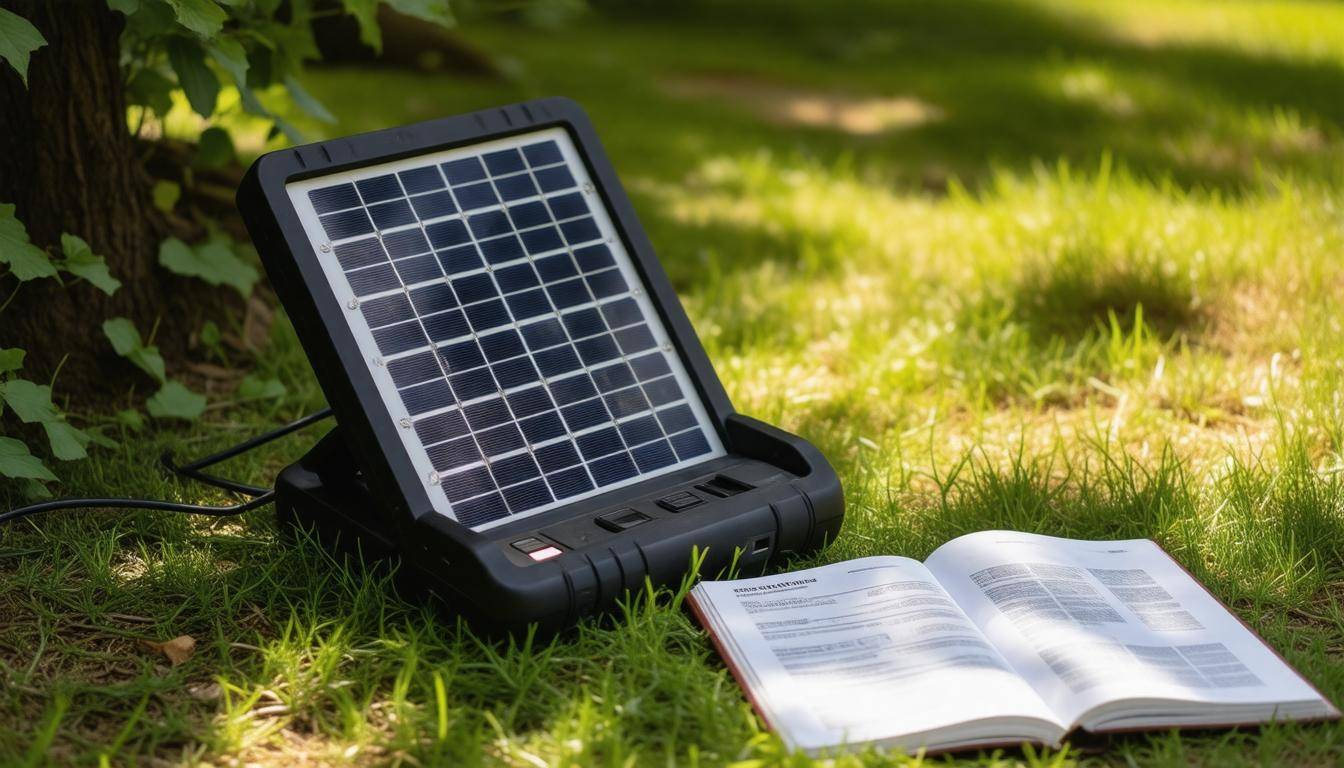
Off-grid solutions for charging enable you to harness nature’s power when the standard electricity grid is unavailable. This is particularly beneficial during emergencies or in remote areas, where accessing conventional power sources can be tricky.
So, what are the best methods to get your devices charged? Let’s explore a few options that can keep your energy flowing even when traditional outlets aren’t an option.
Standalone Solar Generators
One of the simplest and most effective off-grid solutions is a standalone solar generator. Brands like Goal Zero or Jackery stand out in this realm due to their versatility and user-friendly design.
When considering these solar-powered generators, it’s essential to assess both the energy storage and output capacity. For instance, if you’re primarily charging small devices like phones and tablets, a smaller unit may suffice. However, if you want to run larger devices or multiple devices at once—think coolers, small appliances, or even an electric vehicle—you’ll need a more robust solution with higher wattage output.
A good rule of thumb is to choose a generator with at least double the capacity of what you typically plan to use. That way, you can account for fluctuations in power needs while also ensuring longevity in performance.
Wind and Hydro Energy
Exploring additional renewable energy sources can further enhance your capabilities; consider wind or hydro turbines if your location supports them. Both systems have unique requirements and benefits. If you live in an area with consistent wind patterns, a wind turbine can be an excellent investment. Notably, small wind turbines can generate over 100 watts under favorable conditions. That can make all the difference for a residential setup looking to operate off-grid.
However, before starting with wind energy, be prepared for a more complex installation process which includes erecting the turbine itself and setting up proper safety measures. You’ll also want to check local regulations about turbine installations as they may vary by region.
Now let’s not forget about hydro energy! If you reside near flowing water—a stream or river—consider implementing a micro-hydro system. These setups utilize the flow of water to spin a turbine and generate electricity continuously as long as there’s adequate water supply. They tend to pack quite the punch in terms of reliable output!
Interestingly enough, both wind and hydro systems often yield higher efficiencies than solar panels when conditions are right. This means while they might require more initial effort to set up compared to simply placing solar panels in the sun, their potential for continuous output can lead to remarkable long-term benefits once established.
Regardless of which off-grid solution you choose, understanding your energy needs and site conditions will help pave the way toward reliable emergency charging stations that keep your adventures powered no matter where life takes you. Let’s now look closer at how to maximize connectivity and efficiency with USB adapters.
Effective USB Adapter Use
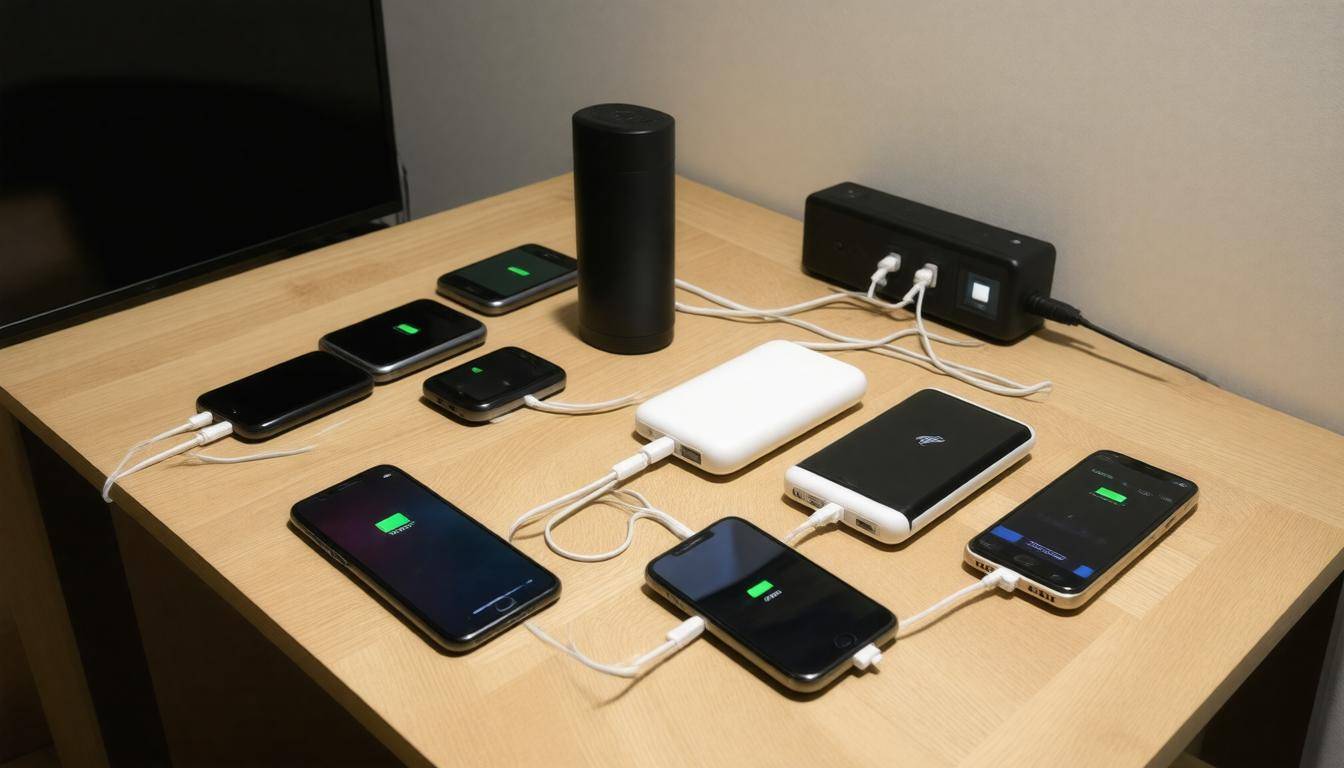
USB adapters are more than just plugs; they are the lifeline for many of our essential devices, especially during a power outage. When setting up your emergency charging station, it’s crucial to choose high-quality adapters that ensure efficient and safe charging. Not all adapters are created equal, so identifying what you need can save you a lot of headaches down the line.
Selecting High-Quality Adapters
Look for USB adapters that feature multiple ports and smart charging capabilities. This means they can automatically detect and adjust the required output current for different devices, ensuring that each one is charged optimally without risk of overloading.
For example, an adapter with three ports may have a capacity to deliver 2.4A per port, which is perfect for phones and tablets, while also having built-in mechanisms to balance the load among the connected devices.
Moreover, quality matters—investing in a reputable brand helps guarantee safety standards that protect your valuable electronics from potential damage.
Once you’ve selected the right adapters, consolidating your chargers becomes the next step.
Using USB Hubs
Incorporating a powered USB hub into your setup allows you to connect multiple devices while minimizing clutter. Instead of fumbling with multiple unplugged chargers and cables scattered around, a USB hub positioned centrally will streamline everything into one neat package.
It provides dedicated power and even allows for charging larger devices like laptops alongside smaller gadgets. Just ensure that your hub is capable of handling the combined power requirements of all devices you intend to charge simultaneously.
After setting up your hub, it’s wise to check if everything is functioning efficiently.
Testing Adapter Efficiency
To ensure optimal performance, consider using a USB tester to monitor the output at each port. This small but handy device can provide precise measurements showing how much current flows through the adapter when each device is connected.
Regular testing can verify if any individual port isn’t delivering adequate power or if there are fluctuations that could harm your devices. This simple diagnostic step adds an essential layer of safety, allowing you to troubleshoot any issues before they escalate into problems.
With these practices in place, you’re well-equipped to create an effective setup that not only charges your devices but also safeguards their longevity during critical moments when reliable power is essential.
Safety Measures
Safety is paramount when dealing with electrical setups, and taking proper precautions can prevent accidents that could lead to injury or property damage. It’s not just about ensuring that you can charge your electric vehicle; it’s about making sure the entire process is safe for you, your family, and your home. An efficient emergency charging station begins with a careful assessment of your surroundings, ensuring they are dry and devoid of any flammable materials.
Essential Safety Tips
Always work with insulated tools and wear suitable safety gear like gloves and goggles to protect yourself from unexpected mishaps. For example, imagine reaching for that wire and getting a sudden shock—not something anyone wants to experience! Utilizing insulated tools acts as an additional barrier against potential electricity shocks.
Additionally, regularly checking that your workspace is free from water or any other conductive materials is crucial. Statistics reveal that electrical fires account for approximately 51,000 fires each year in the U.S., as reported by the National Fire Protection Association. This number highlights the importance of being diligent with safety practices.
Now that you have a good understanding of essential equipment, let’s shift our focus to maintaining your installations.
Regular Maintenance
Regular maintenance is another key aspect of ensuring the longevity and reliability of your emergency charging station. Inspect connections and components palpably for signs of wear, corrosion, or damage. For instance, if you notice frayed wires or loose connections during one of your monthly checks, it’s prudent to replace anything that seems compromised immediately. Neglecting these inspections can turn minor issues into complete failures at critical moments, making it imperative to remain proactive regarding upkeep.
An ounce of prevention is worth a pound of cure: the old adage rings especially true when it comes to safety in electrical installations.
With that foundation laid out, it’s also necessary to consider protective measures like circuit breakers.
Fuses and Circuit Breakers
Use appropriate fuses or circuit breakers designed to protect wiring and components from overloads. Make sure they are rated correctly for the devices they will serve; this often means selecting a breaker rated for the ampacity of the wiring employed in your installation. A fuse or circuit breaker acts as a guardian against excessive current flow, automatically cutting off power when limits are exceeded, helping mitigate the risk of overheating or fires. Employing these safety devices not only enhances security but allows you peace of mind knowing your setup is equipped to handle various conditions without overloading.
Having established these critical safety measures, it’s time to explore how to further improve efficiency in your charging processes.
Maximizing Charging Efficiency
Efficient charging means getting the most out of your setup while conserving energy. When creating a reliable emergency charging station, every detail counts. The first step towards efficiency involves optimizing your solar panels; after all, they are likely the key component to generating power in critical situations.
Optimizing Solar Panel Angle
Adjusting the angle of your solar panels throughout the year is vital for maximizing sun exposure, especially as seasons change and daylight hours fluctuate. Depending on your geographical location, this may mean tilting them closer to vertical during winter months when the sun travels lower across the sky. Regularly maintaining cleanliness is equally important—dust and debris can seriously diminish performance. Just think of it like washing your car; if you want it to look good and work well, cleaning is necessary!
Speaking of efficiency, using energy-efficient devices can dramatically affect your operational costs and battery life.
Energy-Efficient Devices
When setting up your emergency charging station, it’s wise to invest in low-power options such as LED lights and energy-saving appliances. During emergencies, prioritize essential devices while minimizing unnecessary power drains. For example, while it may be tempting to run multiple gadgets simultaneously, focusing on those that provide critical utility—like communication devices or heating elements—can help you make smarter use of your charge.
The effectiveness of these devices depends significantly on monitoring charge levels and power consumption.
Monitoring Charge Levels
Regularly checking battery levels and understanding how much power each device consumes plays a critical role in extending the lifespan of your system during an emergency. Keeping track of how quickly power levels drop allows you to balance loads effectively; if one device is draining the battery faster than expected, you might decide to turn it off temporarily or allocate less usage time for it. This proactive approach not only prolongs operational time but ensures you have enough power when you truly need it.
| Component | Recommended Options | Approximate Cost |
|---|---|---|
| Solar Panels | Monocrystalline, Polycrystalline | $100 – $300 each |
| Deep Cycle Battery | AGM, Lithium-ion | $200 – $800 |
| Inverter | Pure Sine Wave, Modified Sine Wave | $100 – $500 |
| Charge Controller | MPPT, PWM | $50 – $200 |
| USB Adapter | Multi-port, Smart Charging | $10 – $30 |
This table outlines the components essential for setting up an efficient charging station, complete with their recommended types and approximate costs. By investing wisely in these materials and following the outlined recommendations, you’re well on your way to crafting a reliable emergency charging solution that maximizes both performance and energy conservation.
In summary, being strategic about setup and equipment can ensure that your emergency charging station runs smoothly when needed most. Preparation is key to staying powered during unexpected situations.
How can I ensure my emergency charging station is functional during extended power outages?
To ensure your emergency charging station remains functional during extended power outages, invest in a high-capacity battery backup system, such as a solar generator, which can provide sustainable power without relying on grid electricity. According to the U.S. Department of Energy, solar generators can maintain function for days when fully charged and are particularly effective during prolonged outages common in severe weather events. Additionally, regularly test your setup, keep batteries charged, and store essential charging cables nearby to enhance accessibility and readiness.
Are there safety precautions I should follow while building and using an emergency charging station?
Yes, there are several safety precautions to follow when building and using an emergency charging station. Firstly, ensure that all components are rated for the intended load to prevent overheating; electrical fires account for 24% of all reported fire incidents according to the NFPA. Use weather-resistant materials if the setup is outdoors and keep it away from flammable materials. Regularly check connections for wear or damage, and consider incorporating surge protection to safeguard devices from voltage spikes that can occur during storms or power outages. Ultimately, prioritizing safety not only protects your equipment but also minimizes risks associated with electrical hazards.
What materials do I need to set up a DIY emergency charging station?
To set up a DIY emergency charging station, you will need a solar panel (preferably at least 100W for adequate power), a charge controller to regulate current, a portable battery bank for storing energy, multiple charging cables compatible with various devices, and an inverter if you plan to charge AC devices. According to recent statistics, having an emergency charging solution can be crucial during power outages, as nearly 70% of households rely on electronic devices for communication during emergencies.
What common mistakes should I avoid when creating an emergency charging station?
When creating an emergency charging station, avoid overloading outlets and using inadequate power strips, as this can lead to fire hazards; according to the National Fire Protection Association, nearly 20% of home fires are caused by electrical issues. Additionally, ensure your station is equipped with a variety of charging cables and adapters for different devices to prevent frustration during emergencies. Lastly, don’t forget to regularly check and maintain the equipment to ensure functionality when needed most.
Can I integrate renewable energy sources into my DIY charging station setup?
Yes, you can definitely integrate renewable energy sources, such as solar panels or wind turbines, into your DIY charging station setup. Utilizing these sources not only makes your charging station more sustainable but can also reduce electricity costs in the long run. For instance, a small 300-watt solar panel can produce about 1.2 kWh of electricity per day, enough to charge multiple devices. By combining renewable energy with battery storage, you can ensure a reliable power supply especially during emergency situations when conventional power may be unavailable.