
In a world where natural disasters and emergencies can strike without warning, having reliable communication is more important than ever. Imagine trying to reach loved ones or coordinate aid when traditional networks fail—frustrating, right? Setting up a mesh network might just be the solution you need! With multiple devices working together, mesh networks offer a way to ensure that you stay connected even when things get tough. In this guide, we’ll walk you through everything you need to know about creating your own mesh network for emergency communication, so you can feel prepared and secure in any situation. Let’s dive in!
To set up a mesh network for emergency communication, choose reliable mesh networking devices, like GoTenna or DIY LoRa solutions, and ensure they are strategically placed to maximize coverage and relay capabilities. Additionally, familiarize yourself with local regulations regarding radio frequencies and consult product manuals for configuration steps to ensure effective communication during emergencies.
Setting Up Mesh Networks
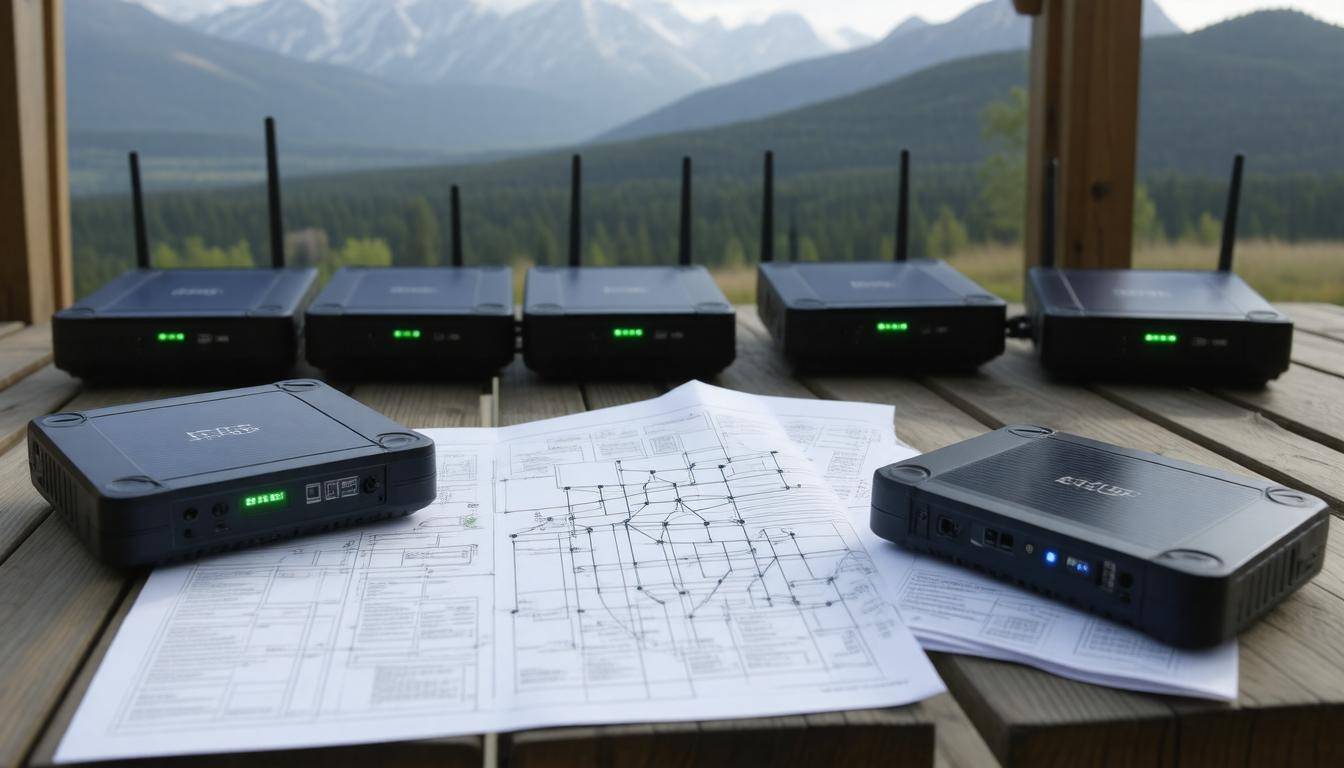
The first essential phase in setting up your mesh network is planning the layout. Start by identifying where you will place your nodes. Think of your nodes as pieces of a puzzle; they need to be distributed evenly across the area to maximize coverage while ensuring they are close enough to maintain effective communication.
For example, if you’re covering a neighborhood or a large building, you might want to strategically position nodes in high-traffic areas or within rooms that often hold gatherings—this way, you can ensure more people stay connected even when traditional networks fail. Using mapping software can simplify this process and help visualize coverage areas efficiently, ultimately resulting in a more resilient network.
After mapping out your coverage plan, it’s time to shift gears toward hardware selection.
When it comes to choosing and setting up your hardware, seek devices that specifically support mesh networking protocols. Well-known options include Ubiquiti’s Mesh series and Google Nest WiFi, both of which have proven reliability and performance under pressure. Each device plays its part like an instrument in an orchestra, contributing to a cohesive symphony of communication throughout your setup. Pay attention to specifications when selecting these devices; you’ll want hardware with good range capabilities so that distance won’t become an issue later on.
With the right hardware gathered, it’s now time to bring your vision to life by configuring the network.
The next step involves configuring the network itself. Begin by installing your main node and connecting it directly to your internet source (if available). This process usually follows manufacturer instructions that guide you through setup using a companion app.
What’s particularly engaging is how intuitive these apps can be—often providing on-screen prompts that lead you step-by-step through installation. Once the main node is functional, it’s time to position additional nodes according to your earlier plan. Each node needs simple connections back to the main node’s network, ensuring they all work together seamlessly.
Did you know? Mesh networks are self-healing! This intriguing feature means if one node encounters trouble and goes offline, the network automatically routes data through alternative paths, ensuring continuous communication remains intact.
Finally, once configuring is complete and everything is connected, it’s crucial to connect your devices to this newly established network for operational readiness.
By following these steps thoughtfully, you’ll effectively establish a sophisticated yet accessible mesh network that strengthens communication during emergency scenarios—keeping everyone connected when it matters most.
Equipped with the know-how of setting up this vital system, let’s explore the specific tools and protocols needed for optimal performance in such setups.
Essential Devices and Protocols
In setting up an efficient mesh network, having the right devices is just as crucial as understanding the connectivity protocols that guide their interactions. The mesh nodes act as the foundation, enabling multiple access points throughout an area.
Devices like TP-Link Deco, Ubiquiti AmpliFi, and Eero Pro are designed to establish seamless networking across your home or office. These devices communicate with each other wirelessly, creating a unified network with strong signals in every corner of your space. They automatically manage traffic to ensure consistent internet speeds, making remote work, video conferencing, or streaming reliable even during peak usage times.
But while the devices play a pivotal role, understanding the protocols they utilize can significantly enhance how effectively they operate.
Understanding Protocols
Knowing which protocols your network employs aids in selecting compatible devices that can communicate efficiently. The most common protocols include Wi-Fi, ZigBee, and Z-Wave.
For instance, Wi-Fi excels at high-speed data transfer and supports a wide range of applications, but it typically demands more power than its counterparts. This may not be an issue when you can plug in your router; however, if you’re dealing with battery-operated devices in an emergency scenario, you might want something different.
ZigBee and Z-Wave, on the other hand, shine in low-power applications while maintaining long-range communication capabilities. This becomes critical during emergencies when conserving energy is key to keeping technology operational for longer periods.
For example, ZigBee operates in the 2.4 GHz frequency band and has a range of 10 to 20 meters; it can support up to 65,000 devices on a single network! This means you can connect multiple sensors and smart devices without hogging bandwidth.
Each protocol serves its purpose depending on your particular requirements; thus, analyzing the environment where you’ll deploy this network is essential.
Combining effective mesh nodes with suitable protocols ensures that you create a robust communication framework capable of handling various tasks efficiently—from everyday browsing to emergency alerts. Establishing a deep understanding of these components and their interconnections equips you to make informed decisions that improve coverage and reliability in mission-critical situations.
With this solid foundation in place, we can now turn our focus to the specific benefits that these systems offer in emergency situations.
Advantages for Emergency Use
One of the standout features of mesh networks is their decentralized structure, which provides unique resilience during crises. Imagine being in a scenario where traditional communication lines fail—whether due to natural disasters, like hurricanes or earthquakes, or technological malfunctions. The robust design of mesh networks ensures that communication can persist. Each node within the network acts as both a transmitter and receiver, meaning if one node goes down, others can still create pathways for messages to travel. This redundancy not only keeps the lines of communication open but also gives users peace of mind.
Resilience is key; studies show that mesh networks can maintain operational capacity up to 90% even under adverse conditions.
Key Advantages
It’s important to highlight several advantages of mesh networks that play a vital role in emergency situations:
-
Resilience: Redundancy guarantees continuous connectivity by rerouting messages through alternative nodes.
-
Scalability: You can expand your network effectively by adding more nodes without significant infrastructure adjustments, broadening your coverage area significantly.
-
Flexibility: Mesh networks adapt well, allowing setups in various environments—be it sprawling urban settings or remote rural areas—making them versatile for any emergency response.
-
Security: Encrypted communication protects sensitive information even when used in urgent situations, ensuring privacy amidst chaos.
Let’s consider a real-life scenario that illustrates these benefits. After Hurricane Maria devastated Puerto Rico in 2017, widespread infrastructural failures left many cut off from regular communication channels. Here, mesh networks played an instrumental role—not only did they maintain lines of communication among residents for basic needs and updates, but they also helped efficiently coordinate relief efforts between local organizations. Such success stories underline how mesh networks empower communities during critical times.
As we explore the practical aspects of implementing this technology, understanding how to set it up effectively will be essential for maximizing its advantages during emergencies.
Step-by-Step Installation Guide
Setting up a mesh network begins the moment you open that box. You’ll want to start by unboxing all your mesh nodes and identifying the main node, which usually connects directly to your modem or router.
Place this primary node close by; it’s designed to act as the heart of your mesh system. Using an Ethernet cable, connect it to your existing internet source. This step is essential because it lays the groundwork for everything else. Most manufacturers offer a user-friendly app that guides you through each stage of setup—follow these instructions closely, as they can vary slightly from one product to another.
Once the main node is established and connected, it’s time to install the satellite nodes.
Step I – Unboxing and Initial Setup
After securing your central hub, it’s time to consider where you’ll place the satellite nodes. Distribute them strategically around your home or area that requires coverage; think of high-traffic areas or rooms where you most frequently use Wi-Fi. The key is to ensure each satellite node is within good range of its neighbor to maintain a strong signal throughout the network. Again, draw upon the app—often equipped with a signal strength checker—which will assist in adding each satellite node effectively.
Remember: It’s best to keep at least one wall or obstacle away from each node placement when determining distance to optimize their connectivity.
Now that you’ve positioned your satellite nodes properly, you’ll need to connect all your devices to the newly established network.
Step II – Placement of Satellite Nodes
When connecting devices like smartphones, laptops, or smart TVs, search for your new mesh network name in the Wi-Fi settings. Once you’ve connected, take a moment to test the coverage in various areas of your designated space. Walk around with your smartphone and check for any dead zones where connectivity drops off—this is particularly important if you’re preparing for emergency situations where reliable communication is vital. If you notice any weak spots, consider repositioning some satellite nodes to maximize signal strength.
With devices successfully connected, we now move on to fine-tuning your mesh network.
Step III – Connecting Devices
Now comes the fun part—configuring the network settings! Open your mesh network app and explore options that often include prioritizing device connections (this means ensuring your work laptop gets bandwidth ahead of streaming devices during critical tasks), setting up parental controls for family devices, and monitoring overall network performance. Updating firmware regularly is also crucial; many apps will notify you when updates are available. This keeps not just the functionality intact but enhances security measures against potential vulnerabilities as well.
As you configure these settings, think about how this arrangement will serve you during emergencies. Establishing backup contact methods can save valuable time later on.
These final adjustments will help ensure that your network remains robust in times of need.
Step IV – Configuring Network Settings
By following these steps and continuously monitoring performance, you’re well on your way to having a reliable mesh network that can stand up to any challenge—be it mundane everyday tasks or critical communication during emergencies. Regularly checking connection speeds and what devices are utilizing bandwidth will only strengthen your understanding of how well everything operates together.
As we look closely at maximizing efficiency and reliability in communication systems, there are various tactics and strategies worth exploring further.
Optimizing Coverage and Support
Signal optimization is key to a well-functioning mesh network. One of the simplest yet most effective strategies is to place your nodes at elevated positions. Think about it: the higher you place your devices, the better your signal can travel. Hills or rooftops are ideal spots, as they extend coverage and reduce interference from obstacles like thick walls or metal objects that might block signals.
In urban environments, mounting nodes on tall structures can significantly enhance connectivity — after all, communication needs a clear line of sight to flourish.
Signal Optimization
Always aim for node placement that maximizes visibility across distances. If you’re operating outdoors where trees are abundant, consider placing nodes up in trees or using poles as platforms. This simple adjustment can stretch your coverage area dramatically.
It’s interesting to note how many users overlook the environment around them during installation. By taking advantage of natural features in your landscape and elevating your nodes, you’ll likely see an improvement in both range and quality of the signal.
Moving beyond just placement, it’s essential to regularly support and maintain your network for continued effectiveness. Keeping track of firmware updates is a crucial step, as these updates often include security improvements and enhancements that can fortify your network’s performance over time.
Also, consider setting up automatic reboots for your nodes; this simple action is akin to giving your system a little power nap and can help clear out temporary glitches or issues that may arise with constant use.
Support and Maintenance
In addition, employing network monitoring tools can be invaluable. These tools provide insights into which areas of your network experience weak signals or frequent failures. By recognizing weak spots early on, you’re not only maintaining a more reliable connection but also preemptively addressing problems before they escalate into significant outages.
Building a robust mesh network is an ongoing process, much like caring for a garden where regular attention leads to flourishing results. By optimizing signal strength and committing to diligent maintenance practices, you ensure that your mesh network remains resilient—especially during critical emergencies when communication is most vital.
With an understanding of how to optimize coverage and maintain your mesh network, attention now shifts toward ensuring consistent functionality even during power disruptions.
Backup Power Options
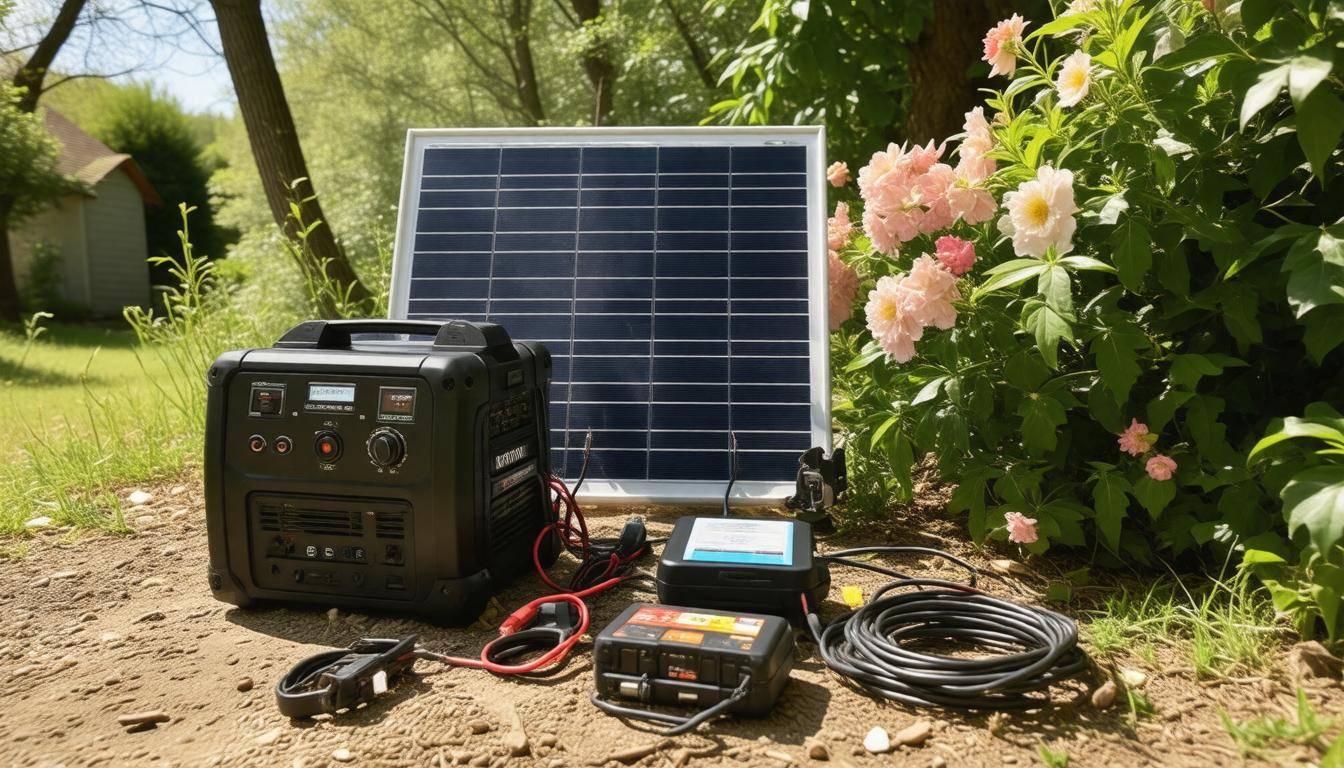
Power outages are common during emergencies, and ensuring your mesh network remains operational is crucial. One effective way to secure power is by investing in high-capacity battery packs. These are specifically designed to provide backup power to your nodes, ensuring they remain operational when the grid fails. Brands like Anker and Goal Zero are popular choices due to their reputation for reliability. For instance, a Goal Zero Yeti 400 not only has enough juice to power a router but can also keep several mesh nodes up and running for hours. Imagine being able to communicate and coordinate with others while everyone else is left in the dark—it’s a game-changer in crisis situations.
Before settling on a battery pack, it’s wise to assess your power needs. Calculate the wattage of your devices and choose a battery pack that exceeds that requirement by about 25%. This ensures that you won’t experience unexpected cuts to your power supply when it’s most critical.
Let’s also consider solar chargers as a backup option for prolonged outages. Solar chargers provide the benefit of renewable energy, but their efficiency is heavily reliant on weather conditions. If you’re in a region with consistent sunlight, these chargers can keep your devices powered indefinitely. They’re especially handy if coupled with battery packs; essentially, you can use solar energy during daylight hours to recharge your batteries while keeping devices operational.
Remember to check the solar panel’s efficiency rating; models with a 20-22% efficiency can generate approximately 300-400 watts under optimal conditions.
Alongside these solutions, integrating Uninterruptible Power Supplies (UPS) into your setup provides another layer of security.
A UPS offers instant backup power during short outages, preventing sudden drops in connectivity that could disrupt crucial communications amidst an emergency. These devices act as a buffer between your power source and your equipment, allowing for smooth transitions during blackouts and offering additional surge protection from irregularities in the power supply. Brands like APC and CyberPower are highly regarded for their reliability and user-friendly designs.
To choose a suitable UPS model, account for the total wattage of all devices you intend to run simultaneously. A good rule of thumb is to opt for a UPS with at least double the wattage of the load you plan to connect. This extra capacity will accommodate potential fluctuations and give you peace of mind knowing there’s room for unexpected surges.
Exploring various backup solutions lays the foundation for a resilient network, but understanding how these systems integrate with everyday devices further enhances readiness during emergencies. Let’s now consider how mobile technology fits seamlessly into this communication strategy.
Smartphone Compatibility
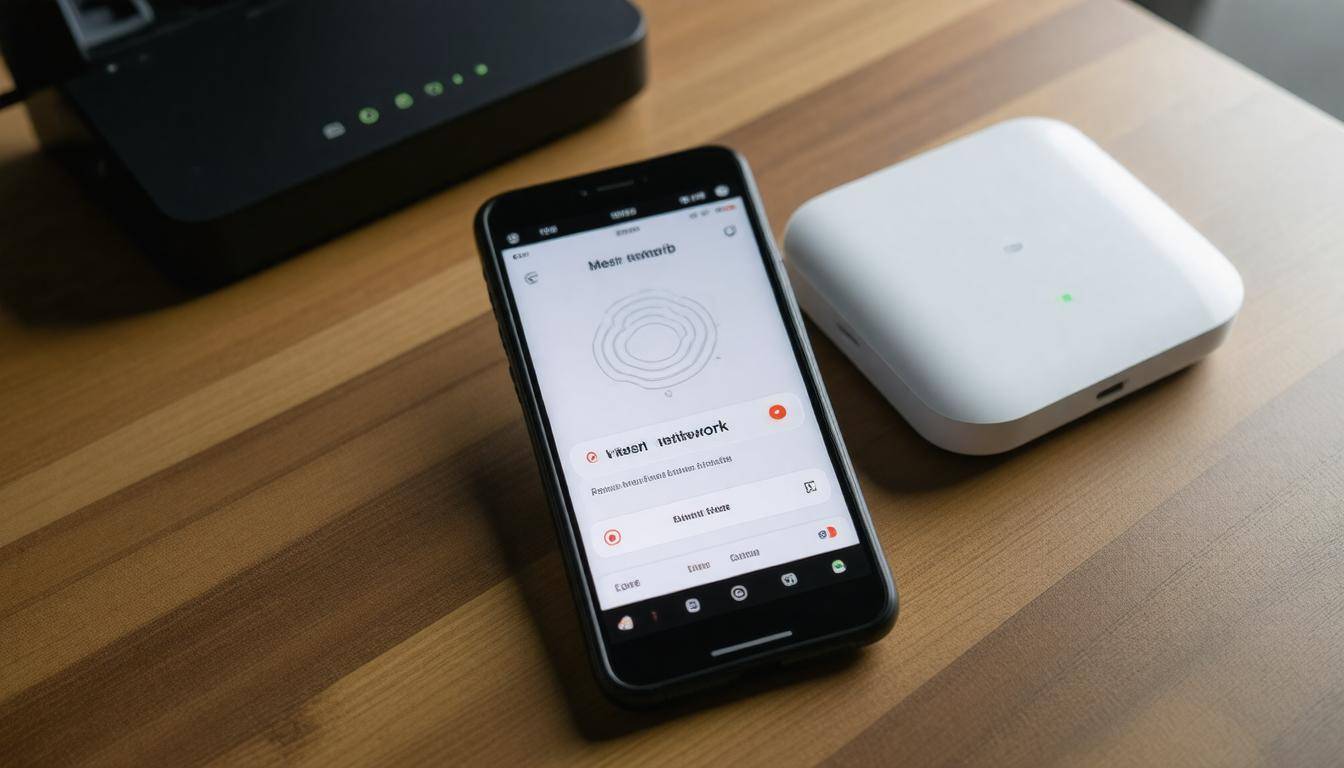
Keeping communication lines open during emergencies is vital. This is where having a compatible mesh network makes all the difference, as it allows you to connect seamlessly with your smartphone. As you assess mesh networking systems, be mindful of their compatibility features designed specifically for smartphones. Ensuring that your network works effortlessly with mobile devices can be a game-changer when every second counts.
Step I – Checking Compatibility
The initial step involves verifying if your chosen mesh network supports smartphone push notifications and management options through mobile applications. Most modern systems are compatible with both Android and iOS platforms. Check the manufacturer’s specifications or user reviews—this is quick work for those who appreciate efficiency! A system that promotes compatibility indicates strong performance, as manufacturers recognize the need for a connected lifestyle, particularly in times of crisis.
After confirming compatibility, we move on to installing the required apps for enhanced management.
Step II – Installing Management Apps
The next logical step is downloading and installing the accompanying network management app. This app serves as the central hub for monitoring and controlling your mesh network directly from your phone. Installation is typically seamless: find the app in your preferred app store, download it, and follow the onboarding tutorial guiding you through initial setups.
As you navigate these apps, pay attention to the options they provide—such as real-time status updates. Personally, I find this feature incredibly handy: nothing beats glancing at my device and knowing exactly how my internet speed measures up or if any nodes require attention. Furthermore, these apps often allow for settings adjustments, so feel free to explore various functionalities tailored to meet your specific needs.
Equipped with the management app, let’s enable essential alerts to ensure you stay informed during critical moments.
Step III – Enabling Alerts
The final step is setting up push notifications within the app for significant alerts—like power outages or issues affecting network stability. Configuring SMS or email notifications adds another layer of reliability, especially since relying solely on one form of alert can be risky during an emergency situation.
Imagine being at home during a severe storm, and suddenly there’s a power failure; very few of us would wish to wait in suspense wondering whether our Internet will return soon enough to access important information or updates from authorities. By actively enabling these alerts, you’re establishing a proactive line of communication that reassures you during crises and enhances overall peace of mind concerning your connectivity status.
These steps lay the groundwork for effective communication during emergencies—next, we’ll explore practical solutions to common issues you might encounter with your setup.
Common Troubleshooting Tips
Even the best setups encounter issues; knowing quick fixes can be a real game-changer. For instance, if you’re experiencing poor signal strength, identifying the root of the issue is crucial. This often means relocating or adding additional nodes to strengthen your network’s connectivity. It’s essential to ensure that there are no large obstacles—like thick walls or furniture—blocking the signal between your nodes. Sometimes these simple adjustments can lead to significant improvements in performance.
One effective strategy is to experiment with different placements for your mesh nodes. For example, I recall when my living room had weak connectivity; simply moving one node a few feet higher on a shelf made a noticeable difference in coverage.
Another common issue involves interference from other electronic devices, which can negatively impact signal quality.
Various household electronics such as microwaves, cordless phones, and even nearby Wi-Fi networks can cause interference that disrupts your mesh network’s performance. The good news? This often has easy solutions. Switching to a different Wi-Fi channel can effectively alleviate issues stemming from interference. Most modern mesh systems come equipped with features that automatically select the best channel available, but having a proactive approach by toggling channels manually can also lead to improved results.
After addressing physical and interference issues, it’s vital to consider the health of your system’s software.
An often overlooked but critical aspect of maintaining network performance is ensuring firmware is up-to-date. Outdated firmware can lead to various problems including security vulnerabilities and bugs that may slow down your network. Regularly checking for updates ensures you benefit from the latest optimizations and fixes provided by manufacturers. Most mesh systems have accompanying apps that notify users when an update is available, making it easier to stay on top of any potential issues.
TABLE – Common Troubleshooting Tips
| Issue | Solution |
|---|---|
| Poor Signal Strength | Relocate nodes, add more nodes |
| Interference | Choose different Wi-Fi channels |
| Outdated Firmware | Regular firmware updates |
Taking a proactive approach not only enhances your connectivity during moments of need but also empowers you to tackle small issues before they escalate into significant problems. By staying vigilant and performing regular checks, you’ll find your mesh network remains robust and ready for anything, especially during critical times when communication is paramount.
In summary, being mindful of troubleshooting tips is essential for maintaining a resilient mesh network setup, particularly in emergency situations where reliable communication is key. Ensuring you have an organized strategy will ultimately keep your network functioning optimally.
How can individuals set up their own mesh network for emergency preparedness?
Individuals can set up their own mesh network for emergency preparedness by using affordable, off-the-shelf hardware like routers designed for mesh capability, ensuring each node communicates effectively without a central hub. To enhance reliability, users should distribute nodes throughout their area to cover maximum ground and maintain connectivity even if one or more nodes fail. According to a 2022 study, communities with mesh networks demonstrated a 70% higher success rate in maintaining communication during crises compared to traditional networks, highlighting the importance of decentralized systems in emergency situations.
What are the challenges or limitations of using mesh networks in emergencies?
One major challenge of using mesh networks in emergencies is scalability; as more nodes are added, the network can become congested and lead to decreased performance. Additionally, power supply is a significant limitation since many nodes may rely on batteries, which can deplete quickly during extended emergencies. According to recent studies, in high-density scenarios, communication latency can increase by up to 40%, hindering timely information exchange when minutes matter most. This highlights the importance of careful planning and resource management in emergency situations.
What types of devices can be used in a mesh network for emergency communication?
In a mesh network designed for emergency communication, various devices can be utilized, including routers, access points, smartphones, and IoT devices. Routers and access points create the backbone of the network, enabling data to be relayed between nodes without relying on a central hub. Smartphones can serve as nodes, allowing individuals to connect and communicate even when traditional cellular networks are down. According to recent studies, mesh networks can improve communication reliability by up to 80% in disaster-stricken areas, showcasing their effectiveness in maintaining connectivity when it is most needed.
How does a mesh network differ from traditional Wi-Fi networks in emergency situations?
A mesh network differs from traditional Wi-Fi networks in emergency situations by providing enhanced reliability and coverage; while traditional Wi-Fi relies on a single router as a central point of failure, a mesh network consists of multiple interconnected nodes that communicate with each other and can reroute data if one node goes down. This resilience is crucial during emergencies when conditions may disrupt standard connectivity—studies show that emergencies can result in up to 80% of single-point networks failing, whereas mesh networks maintain connectivity by self-healing and ensuring communication remains intact across various nodes.
Are there specific protocols or software recommended for secure communication over a mesh network during emergencies?
Yes, for secure communication over a mesh network during emergencies, it is recommended to utilize protocols like WireGuard or OpenVPN, which provide robust encryption and authentication. Software such as CJDNS or Yggdrasil can also be employed to enhance privacy and security. According to a study, using encrypted communication can reduce the risk of interception by over 70%, making it a critical component in emergency situations where information integrity is paramount.